In the media it was framed as ‘man versus machine’. But Feng-hsiung Hsu, the main designer of Deep Blue, later wrote that this assumption was wrong. He saw the match as one type of human versus another. Human as performer (Kasparov) versus human as toolmaker (the Deep Blue team).
I’ve been thinking a lot about that match since I’ve returned last week from Paris where I attended Wikimania: the world’s largest gathering of Wikimedians (people who write Wikipedia and its siblings). With 1,250 people attending in person and over 2,000 online we celebrated Wikipedia having its 25th birthday this year with five intense days of talks, workshops and of course many, many meetings and conversations with Wikimedians from all around the world.
One question was woven throughout virtually every session and conversation: in a world where AI is reshaping both the digital and physical world, how do we as a community deal with it? As Christophe Henner wrote earlier this year, AI is not a tool but a paradigm shift. How do we make sure we continue being relevant in the next 25 years?
I’ve been a Wikimedian for 21 years and a developer. The last few years I’ve used AI in many of my projects. So I have some thoughts about this.
After the three workshops i organized and five days of Wikimania one thing for me is clear: just as Kasparov was playing against other humans and not a machine we’re competing against other humans who have figured out how to be better at some of the things we do.
What this means? We should become better toolmakers as well.
Unsure of what all the terms in this article mean? Click here to read a glossary of terms.
The projects refer to the Wikimedia projects (Wikipedia, Wikidata, Wikimedia Commons, etc.).
The community, movement or Wikimedians are the people who work on those projects, both in a hired capacity (e.g. from the Wikimedia Foundation or affiliates) or as volunteers.
The foundation or the WMF refers to the Wikimedia Foundation, the supporting organization which provides the hosting and technical infrastructure for the Wikimedia projects.
The affiliates refer to the local Wikimedia chapters (e.g. Wikimedia Netherlands) and user groups (e.g. LGBT+ User Group).
LLMs are ‘large language models’, so ChatGPT, Claude, Gemini, etc.
Frontier models are the AI models that power the most well-known LLM chatbots listed above.
Local models are models that run on your own computer instead of in the cloud. These are usually less capable than frontier models, but can be good enough for specific tasks. More capable local models need a lot of RAM; 16GB is usually the bare minimum.
Open weight models can be downloaded for free and can run on your own computer (compared to many frontier models which are closed). However, some of the more capable models can require so much RAM that they still run in the cloud (e.g. DeepSeek V4 Pro needs 862GB of RAM).
Inference is generating content using an LLM, e.g. writing code using an LLM chatbot.
Tokens are the basic unit an LLM takes as input and produces as output. Most models are priced based on tokens, and better models tend to cost more per token.
Open licenses are the conditions under which the content on the Wikimedia projects is available. Creative Commons BY-SA and Zero are the most popular ones. An open license means you can reuse the content for most purposes for free, even commercially.
Markdown is an important input/output format for LLMs. It’s a plain text format that provides a simple syntax that translates to HTML. E.g. text *between asterisks* is rendered in italics.
Three challenges
As a movement we face three major challenges:
1. Fewer humans
Our community is dependent on people visiting our projects. Because we need new editors, who start out as readers. And we need donations. The projects are funded mostly by small donations of readers who pass by and donate a small amount. If that source dries up because people consume Wikipedia content via an LLM or Google’s ‘AI Overview’ we have a problem.
Declining readership is a real trend that has been noted by the Wikimedia Foundation. It’s interesting that some comparable projects, like OpenStreetMap, are not so dependent on readership and have always focused more on being a data source instead of a destination. So maybe this is less of an issue than we think. But for now, I would say that we should err on the side of caution and see declining readership as a serious issue.
One other consequence of less humans on our projects is that the distance between consumers of our content and the people who produce it will get even bigger. It has always been an issue to explain to people that there are actual, breathing humans writing those articles together. LLMs might condition people into thinking that Wikipedia is just a bunch of AI bots writing articles. Another reason why they might be hesitant to donate or become an editor.
2. More robots
While humans are visiting our projects less and less, more and more robots appear. Many of those robots are scrapers, harvesting our data at unsustainable speeds. This has put a giant strain on our infrastructure. It feels like a lose-lose situation. Wikimedia provides one of the most important data sources for LLMs, in return we get a barrage of scraping bots, and we need to invest more in our infrastructure.
3. More slop
AI-generated articles are an issue as well. Apart from the regular vandalism that we have always had, now we need to deal with seemingly well-written articles that turn out to be generated by LLMs.
This is not just an internal problem. Wikipedia is reliant on references to write verifiable articles. If the internet turns into a cesspool of AI slop it becomes harder and harder to find reliable sources.
Internal struggles
There are also internal issues that might weaken our position.
One important reason for organizing my Milan workshop was that not all voices in the movement were heard. Should we even use AI, or maybe ban the use of LLMs and coding agents altogether? Especially young people can have a very negative opinion on any usage of AI at all. If parts of our community feel left out of this discussion it might lead to internal polarization.
However, there was surprisingly little discussion in Paris about this subject. Maybe people have simply accepted that we’ll have a future where AI is an essential technology? Or maybe they haven’t, but they didn’t speak up? I don’t know, but i would love to read or hear more from those folks.
Let’s get back to the ‘man as performer vs man as toolmaker’ narrative.
If we agree on the notion that the significant shift in the world is not ‘machines are taking over’, but ‘machines controlled by humans are taking over’, it also makes sense that humans must stay responsible for the actions of the machines they build and use.
That might seem obvious, but it’s not. People who used to depend on programmers can now suddenly do many things themselves. This might feel like magic. Suddenly they’re able to write a complicated Excel formula! Or vibecode a little app for the paperwork they previously had to hire a company for!
Of course, most developers and technically skilled people know that computers aren’t magic and are very aware of the shortcomings. When you write code (by hand or using a coding agent) that accidentally deletes the production database of your company, “it’s the machine that did it” isn’t an excuse your manager will accept. And even in the age of coding agents, maintaining complicated software infrastructure is still hard work.
However, right now all over the world companies are firing their development teams and replacing them with AI agents, expecting everything will be the same, but cheaper. Of course, it’s not.
It seems that for some people, it takes firing their developers to discover that machines are not the same as people, and code isn’t magic.
Leveraging our biggest strengths
Code and AI aren’t magic. And I think that we, as Wikimedians, are particularly well-placed to explain and show how the ‘magic’ works. Just as Wikipedia articles explain that things are usually a lot more complicated than you think.
And that isn’t the only strength that we have. Wikimedia may be the David to big tech’s Goliath, but we often underestimate our own strengths.
Even though the big tech companies that make the major LLMs have a seemingly limitless supply of money, they lack one thing that our community has in spades: trust and reliability. Wikimedians are fervent nitpickers, making sure statements are properly referenced and factually accurate. Even though LLMs tend to get many things right (because they have been trained on sources like Wikipedia) they also get many things wrong. Even if Google’s “AI overview” is wrong “only” 10% of the time, that means millions of peopleget wrong answers every day.
Wikipedia is the critical data set used in most LLMs. We need to figure out how we can take advantage of that. Our open licenses are both one of our biggest strengths and weaknesses. It’s very hard to make big tech pony up for our data in a capitalist world because they already got it for free. However, Wikimedia data is valuable because it’s one of the few high quality human-generated data sets (and probably less destructive than AI companies destroying print books to train their models).
Another strength is that we are non-personalized. Folks using social media to get their news stay in their bubble, fed only the things that suit their taste. But on Wikipedia everyone reads the same article. Us not providing a ‘personalized reading experience’ is a feature, not a bug.
AI is not magic, but you know what is? Consensus building with humans.
Every Wikimedian should be a toolmaker
We have identified our strengths. Now, how should we use them?
It’s tempting to take a defensive stance against the big tech companies, and maybe even AI in general. But it’s better to play offense than defense. Big tech also doesn’t know what’s going to happen. It’s better if we try to invent the future ourselves instead of waiting around until something happens.
That means that right now we should focus on experiment over decisions. It’s better to do a lot of small experiments instead of making large-scale long-term bets. We should act deliberately, not emotionally, in the way Wikimedians do best: with nuance, knowledge and a scientific, objective look. And because of that we might be able to apply new technologies in a meaningful and useful way instead of jumping on the AI hype wagon and trying to cram AI into everything.
Another reason why we should experiment now is because the current situation is not going to last forever. Using LLMs today can be dirt cheap because of the influx of venture capital. If something like Claude Opus or Fable is too expensive, DeepSeek v4-flash is almost as capable and can generate millions of tokens for next to nothing. To put that into perspective: the total codebase of MediaWiki with all extensions is roughly 3 million lines of code. An amount of code like that could be generated by this model for about 11 dollars.
It’s very unlikely the situation will remain like this. The AI bubble will burst at some point in the near future, and then usage will suddenly be a lot more expensive. This also means that we need to prepare for that, and make sure that the tools we build don’t rely on AI models or can use simpler, self-hosted ones. I liked the observation by Netha Hussain in this regard: ‘built with AI’ and ‘using LLMs in a tool’ are two different things!
It also gives us a great opportunity. As mentioned, people who can’t code suddenly can code now. And people who used to code in the past may rediscover their joy of coding again. They should get accustomed to the best practices that are evolving right now.
Want to know what those best practices are? Click here to find out.
Using a coding agent. Claude Code is the most well-known but there are many capable open source alternatives as well like pi.dev and Hermes.
Be aware of the dangers. A coding agent can be run in ‘yolo mode‘, which means it has unrestricted access to your machine, up to and including deleting files by accident. You should either be careful in giving permissions or use a “harness” to restrict access to your system.
Use skills. Skills are text files written in Markdown that instruct a LLM about a specific task like ‘connecting to the Wikidata API’ or ‘finding pageview metrics on Wikipedia articles’.
Try out different models. Obviously everyone should try the frontier models, but it’s interesting, if only for the exercise, to try out a locally hosted or open weights model.
Use best practices. One thing that has always been very hard in software development is making sure people follow best practices. This includes things like unit tests and documentation, but it also includes providing your app in different languages (internationalization or ‘i18n’) and making sure it’s accessible (‘a11y’). With coding agents this becomes much easier. They don’t complain about writing documentation!
Of course, the answer to “what should we do” is a little bit more nuanced than just “build lots of tools”. We already have over 4,000 tools, many of them unmaintained and/or broken. We don’t want to get an overload of new tools that are then unmaintained and no longer used. We might need to set expectations higher for the tools we use, or be more vigilant in deprecating and removing old ones.
Using AI for Wikimedia doesn’t mean writing articles
So if every Wikimedian builds tools, what do we build? When talking about generative AI the first thing that comes to mind is ‘writing articles’, but that’s probably one of the least useful applications. And just as Wikimedians are doing many more things apart from writing Wikipedia articles, AI can be used for many different applications as well.
I liked how Andrew Lih talked about a ‘friction matrix‘ for Wiki AI tools. Low/high burden on one axis (for humans) and low/high impact on the other. It’s interesting to look at tools that have high impact, but a low burden. This means the many, many tedious repetitive tasks done by Wikimedians that can be replaced or at least simplified by building new AI-assisted tools.
A great example of this was the PoliLoom tool showed by Ada Homolova and Johan Schuijt. It allows Wikipedia-sourced facts about politicians to be imported into their Wikidata items. This includes data points like place of birth and political position. Using AI, they analyzed Wikipedia articles to highlight sentences (e.g. ‘Jane Doe was born in Paris’) and prepare the appropriate Wikidata edit (e.g. Jane Doe -> Born in Paris). A human editor is always required to verify the proposed edit. A good example of a task humans can do, but AI accelerates.
Another obvious use case for AI-tools is helping smaller-language communities. There are almost 350 Wikipedia language editions. For many of them, Wikipedia is the only major reference work in that language. AI tools could help the limited number of volunteers who work on those editions to maintain their projects.
Teaming up
Of course, we as Wikimedians, are not alone in this journey. We’ve always had many friends who share our values about open access to data, verifiability and shepherding the open web. This includes parties like the Internet Archive, Creative Commons, OpenStreetMap and many others. It only makes sense to team up with those parties and collectively agree on what steps we should take to make sure the internet remains true to our vision.
Therefore it’s good to see initiatives like Mosaic, which brings together many different ‘commons’-related parties, not least because the possibilities for knowledge and cultural institutions like galleries, libraries, archives and museums (GLAMs) are tremendous. One can only imagine a future in which relevant data is shared easily by GLAMs to Wikimedia using new AI-powered tools.
One suggestion for a new tool I loved was Audrey Tang‘s idea about an ‘LLM edit button‘. Every editor started by discovering the ‘edit’ button at some point at the top of every Wikipedia article. With the move from consuming Wikimedia content from the web to LLMs we lack that button. What would an ‘edit’ button look like in the age of AI?
Together we can create an alternative to the commercial closed web dominated by big tech. One where humans stay in control and build a world in which every single human being can freely share in the sum of all knowledge.
Happy birthday Wikipedia!
Notes and sources
In the interest of brevity and reading clarity I’m not sourcing every single statement and observation here. Many of the statements and sentiments were expressed multiple times by different people. I’m just trying to paraphrase.
I used the Claude Opus 5 and Gemma 4 12B models for spelling and grammar corrections, smoothing clunky sentences and general tips and feedback. 99% of the text you’ve read was written by a human.
In an earlier version of this article a graph was present indicating a declining number of page views. There is a trend, but because this specific graph might not be representative I’ve removed it in the interest of clarity.
In the last six months I built a website for the Anne Frank House and took an AI storytelling installation for children on a four-city tour. A look back at my first half of 2026 as a freelancer.
Bakkus, an audio installation where children co-create a story with AI that I developed for the Cinekid film festival in 2025, went on tour. We ran it at Performing Bits (Schouwburg Utrecht), VerhalenToren (Forum Groningen), De Cammeleur (Dongen) and DEN / InnovationLab (Utrecht).
I attended the Wikimedia Hackathon in Milan and held two workshops on the impact of AI on the Wikimedia developer community. I later wrote a long blog post about it.
For Podiumkunst.net i gave a workshop on new ways of making Dutch song heritage accessible to new audiences.
At Live Coding Amsterdam I performed a live coding set using my custom-built audio/video mixer.
As an advisor for the Creative Industries Fund NL I participated in two funding rounds as an advisor.
I’m currently working on a number of exciting new projects that will launch in the second half of the year. I’m always interested in projects that mix code, sound, image, and storytelling, especially in the cultural and heritage sector. If that’s you, get in touch.
I recently upgraded a five-year-old tool called Depictor in two days using AI. Something I’d struggled with for years, done in a weekend. That triggered a small identity crisis and led me to organize a workshop at the Wikimedia Hackathon in Milan around how we as a community should deal with the paradigm shift of AI.
This article is a write-up of those sessions and my thinking around them. It covers the good (lower barriers for non-coders, accessibility wins), the bad (scrapers hammering our servers, slop PRs drowning maintainers), and the hard questions about digital sovereignty, whether coding loses something when it stops being social, and where individual ethics end and community standards begin. The bottom line: we need to stick to our values, be more specific about the language we use, and most importantly remember that trust, not article count or technical innovation, is what the Wikimedia movement has to protect.
This article will take you about 20 minutes to read (~4,000 words).
Where it all started
Six weeks ago I went to the Wikimedia Northwestern Europe Hackathon in Arnhem, the Netherlands. I had a blast. I designed the logo, which included a hidden code. Participants were in the lobby at 1 am trying to figure out what I had hidden in the code, and together they cracked it. Of course people tried uploading the logo to their LLM of choice, like ChatGPT or Gemini, and trying to figure it out that way, but that didn’t work. So at 1 am participants were in the lobby trying to decipher the code. You know, actual humans, doing actual work.
But something else also happened during that hackathon. To explain what happened we first need to go back in time, to 2021, when I made a tool called Depictor. It lets you easily add structured “depicts” statements to files on Wikimedia Commons. It’s a very popular tool: almost three million edits have been made with it. One user has done almost half of those edits. Our community of volunteers never ceases to amaze me.
There were a couple of issues with Depictor though. Back in 2021 I wrote the code using a Javascript framework called Vue, specifically Vue 2. Vue 2 reached end of life at the end of 2023, which meant I needed to upgrade the code to Vue 3. I made several attempts, but it was a lot of work and I never finished it. So at the start of the hackathon, the codebase was basically the same as it had been five years ago.
At the hackathon, I met another fellow Wikimedian, and together we worked on Depictor. In two days, we upgraded all the code from Vue 2 to Vue 3. And not just that: we also upgraded the outdated PHP version, we converted the entire codebase to TypeScript, and we even fixed a few bugs and added some small new features.
Two days for something I’d struggled with for two or three years. How is that possible? Well, you can probably guess. The answer, of course, is AI.
I’d done some things with AI before, a few projects and small snippets of code, but I’d never taken a big application with a deprecated codebase and turned it into something functional. I really wasn’t expecting it to be possible in two days. Or maybe I was expecting it was possible in theory, but I hadn’t experienced it myself.
This led to a small identity crisis. Because if an AI can do my work, what is my job? What is my purpose? I started coding when I was five years old. It’s how I earn my living. So, what do I do now that a machine can do my work as well?
Paradigm shift
Of course I’m not the only one who has identified AI as a threat, or at least a fundamental change in how we as a community work. Wikimedian Christopher Henner put this well in an essay he wrote earlier this year, framing AI not as a tool but as a paradigm shift.
Writer and entrepreneur Anil Dash also wrote an essay in which he distinguishes between two kinds of coders: people who code because it’s their job, who want to earn money and write code, and people who write code because they like it, because they enjoy the craft. I firmly believe most Wikimedia developers fall into that last category. Dash also mentions the role of grief. A kind of labor and craft we were proud of as developers has seemingly been taken from us. The satisfaction of figuring something out yourself. Now a machine can do it. And that’s, well, just pretty fucked up.
Meaningful applications
I’ve had many thoughts since the events of the Arnhem hackathon. I don’t think you can say AI and LLMs are either good or bad. It’s all much more nuanced, like every important societal and technological change.
People who are technical but can’t code are now able to do things they couldn’t before. My wife works as a digital project lead and can now just ask an LLM to write her some Python code or a complicated Excel formula to analyze complex data instead of finding a developer to do it for her. AI is empowering a whole group of people who can now do things they could never do before.
For some people the implications might be even bigger. I recently came across this article about stand-up comedian JT who has almost 100,000 followers on TikTok. He has cerebral palsy and has difficulty talking, so his videos need to be subtitled. A job that used to take him 3 to 4 hours, until a volunteer vibe-coded an app that uses a speech-to-text model to cut that to 15 minutes. A very meaningful application of technology.
Darker sides
But obviously there is also a darker side to AI, and this is also a reason I wanted to organize a workshop during the International Hackathon in Milan this May. After the Arnhem hackathon both Lucas Werkmeister and Taavi Väänänen wrote recaps. They both mentioned the mixed feelings they had about people proudly telling other Wikimedians about the projects they ‘vibe-coded’.
Because all of those LLMs that are used for vibe-coding are trained on the hard work of Wikimedians who never saw a penny or any kind of attribution from the big tech companies building those models. They just pointed their scrapers at the Wikimedia sites and got it all for free. This causes real technical issues because of the exponential amount of traffic the Wikimedia servers get, forcing the engineers to take drastic measures. This actually happened at the hackathon in Arnhem six weeks ago: we couldn’t run some tools because rate limits had kicked in.
We have this wonderful vision as Wikimedians, imagining a world in which every single human being can freely share in the sum of all knowledge. That vision speaks of humans. It says nothing about AI scrapers slurping up all our data.
We should also mention the issue of sloppification. Many open source projects are currently overrun by quickly written slop pull requests and patches, causing the already overworked volunteers to spend their precious time giving feedback to low-effort slop pull requests instead of spending it on valuable changes to the projects.
One thing I realized when I was thinking about this subject is that we as humanity have been here many times before. With technology taking over things previously done by humans.
The first is the reframing of the debate. In the media the debate was framed as ‘human vs machine’. Can a machine beat a human? Can a computer play better chess than a human?
Hsu says we shouldn’t see it like this. People tend to forget that there are actual people who built the computer that beat Garry Kasparov. It’s not man versus machine, it’s man as performer, Garry Kasparov performing the act of playing chess, and man as toolmaker, the people who built Deep Blue.
You could say we’re now in a similar situation. We as developers are the performers. And “man as toolmaker”, the people building today’s LLMs, the people training models on the content we wrote, these are the toolmakers taking over from us. It’s not really man versus machine. It’s one group of humans, with a different set of tools, taking over the work of another group of humans. That also ties back to the scraping: the toolmakers built their tools on top of what the performers, us, made. Just like Deep Blue was developed using countless grandmaster games for reference.
Productive coexistence
The second observation is actually from the foreword to the 2022 edition, by computer scientist Jon Kleinberg.
Kleinberg identifies three challenges: how to anticipate consequences, how to make sure we can explain the decisions AI systems make, and how to ensure productive coexistence between the behavior of AI and the behavior of human beings. I especially loved that last point, so I decided to use that as the basis for the workshops I held during the Wikimedia Hackathon in Milan on May 1st.
The workshop
The workshop I held in Milan was attended by around 50 to 70 people. So many people tried to fit into the room that we were in danger of violating fire regulations, so I had to give it twice. In the end that was probably for the better, we had the same discussion twice, and some points were explored more broadly in one session than the other and vice versa.
What kind of community do we want to be in five years, and what does “productive coexistence” with AI systems look like for us?
During the second workshop I was kindly informed that my question was biased: asking what “productive coexistence with AI” would look like for us is already implying that we will use AI systems, so people might have a preconception that is not neutral but too positive. Fortunately Wikimedians are very smart and critical, so I hope that compensated for it somewhat.
Both sessions resulted in dozens of subjects and talking points (good luck deciphering my handwriting). I’ll try to summarize them here. The points came from many people. I hope I’ve represented them fairly.
What we talk about when we talk about AI
One point that kept coming back again and again was that we desperately need better words, statistics and comparisons when we talk about AI. “AI” has become a blanket term, just like we had earlier with terms like ‘big data’ or ‘web 2.0’. Big tech companies have poured marketing money into framing AI as an unmissable technology everyone needs to invest in. That, of course, serves their own interest. If we don’t buy into the hype the bubble will burst, and all of the billions of investment money will be for nothing. There have been many signs this will happen sooner or later. Five years (the horizon I gave in the workshop question) seems like a plausible window.
AI is supposed to improve productivity and efficiency, but studies suggest those gains are vastly overrated. We badly need actual statistics on productivity and efficiency gains, and concrete metrics on the specific AI-based tools we use or plan to use.
With any new technology we’re making comparisons to the existing ones. And when talking about the advantages and disadvantages we’re trying to figure out if things are really ‘new’ or just a different flavour. Are agents the same as bots? What is the difference between generating AI slop code and writing sloppy code? We complain now about people that vibe-code and don’t understand what their code does. But isn’t that the same as people in the 1980s complaining that you could only understand a computer if you soldered it yourself?
One thing that is clear is that AI is not neutral. Technology never is. Neil Postman wrote about this in his seminal 1985 work Amusing Ourselves to Death, about the influence of entertainment and television on society:
So maybe we need new comparisons and language. I liked the suggestion of comparing the layer of AI to the Eiffel tower (appropriately Wikimania this year is happening in Paris): we’ve built stack upon stack, layer upon layer, and now we’re somewhere at the top. We started with machine language or assembly, then higher-level languages like C and C++, and from there we got more and more abstract until we can talk to our machines using natural language. But we’re now looking down and asking ourselves if we still have the correct foundation.
Another less prosaic comparison was to the nuclear bomb. Here’s a technology that we developed and used, and after that collectively decided never to use again, even though the fear and chance of that happening is still here. Yet another comparison is that of the industrial revolution, especially the invention of the steam engine.
Digital sovereignty
The Wikimedia movement has always been uniquely positioned as one of the few large-scale online projects that is consistenly choosing open source solutions instead of relying on the products of big tech. Especially with the current political situation in the U.S. there has been talk (outside of the Wikimedia movement) of becoming ‘digitally autonomous’ or gaining ‘digital sovereignty’. And this need is urgent. Recent research has shown that nearly the entire Dutch government relies on American cloud services. And the Netherlands is currently still in the process of moving its national digital identity service to an American company. I don’t think i need to explain to the Wikimedia audience why that is a bad thing.
It’s obvious that the same trend might also happen with AI systems. What happens if there’s a monopolist or duopolist in the AI space? OpenAI might be bought by Microsoft. The remaining survivors will raise prices. You already see this phenomenon happening with Anthropic banning use of popular tools because their terms of service don’t allow it.
I think most workshop attendees agreed that we can’t have that as the Wikimedia movement. We can’t have vendor lock-in with big tech companies. We need to keep our own independent tech stack.
The question is if we as a movement want to invest the large sums of money needed to train our own models. The answer is probably no, but then the question would be: who do we partner with? Some of the open weight models (that you can run on your own hardware), like Qwen, Gemma, Mistral and DeepSeek, are quite good. However, they rarely publish their training data, which is quite essential to understand what kind of bias they might have.
It’s a public secret why that training data is rarely published: it was collected by dubious means. The frontier models (ChatGPT, Claude, Gemini, etc.) are trained on a dataset which is basically the whole internet (including pirated content) because they believe (or at least tell us) that it’s the only way to deliver their expected quality.
Whether that’s true or not is an open question, but it is clear that people have an expectation of how good AI models are based on those frontier models they already know. Of course this is a problem many open source projects face (related to Jakob’s law). But the gap between the frontier models and ‘completely open’ models seems to be especially big.
Coding as a social activity
I mentioned earlier that a positive side of AI is that technical people who can’t code might now be able to participate more in our community. The line between ‘techie’ and ‘non-techie’ is becoming blurrier, and I think that’s a good thing.
Especially for junior developers onboarding might get easier. Instead of reading the vast heaps of (sometimes outdated) documentation and figuring out things by trail-and-error people can now use an LLM to generate context-specific examples.
But again, there are also concerns. Being able to use an LLM for help might mean less interaction and less learning by seeing how other people get things done. The cliché of a solitary coder is sometimes true, but the fact that there are hundreds of developers walking around at this hackathon breaks that. Developers are social people too, and coding can be a social activity, whether in-person, at a conference, or online through code reviews and discussions. Removing a lot of the incentives to do that (because you can just ask an LLM) might also make people less social and eager to talk to other coders.
Senior developers can assess the quality of LLM-generated code because of their experience. But if you have little experience, how do you do that? And how do you create a solid understanding of technology if all you ever do is work together with an AI chatbot?
So, to put it bluntly: Is AI making us dumber? There is some research on this. It seems that in general, passive usage of text, LLM or not, makes you dumber. If you’re just copy-pasting stuff and not learning from it, you’re not getting smarter. On the other hand, other studies indicate AI-driven tutoring might outperform active learning classes.
So once again, nuance and ‘it depends’ is appropriate. Because ‘AI’ is such a blanket term we just can’t assume every use of it is bad or good.
The human backbone
Just like we can’t say that AI is good or bad, there’s no way of categorically saying when to use AI or when not. We need to be specific where we use AI, how, in what context and what setting. Comparing vibe-coded prototypes to critical production code is comparing apples to oranges.
This human backbone, as it was called in one session, or “human in the loop” as we called it in the other, is super important. You, as a coder, but most importantly as a human, keep responsibility for the code you’ve written. If you want to write sloppy, awful code, that’s fine, but it’s your responsibility, and we’re not going to go easier on it because you used a fancy AI tool.
The main sticking point is of course where the considerations of your own individual use of AI end and community or corporate (e.g. the Wikimedia Foundation) policy and rules start. Is it okay to vibe-code an app to learn a new library? How about putting a vibe-coded tool on Toolforge? Is it okay to use an LLM to check for obvious bugs in a patch to MediaWiki core? How about letting it upgrade the code to use new PHP features? How about letting it write an entire class? A plugin? What about letting an AI agent write all code reviews? Maintain and deploy AI-written code to MediaWiki automatically?
I’m sure there’s some point among those examples where you’ll think: ‘no, that’s not okay at all’. But the bar will be different for everyone, and we don’t have common standards and etiquette yet for what’s okay and what isn’t.
We do have a universal code of conduct. That code of conduct was written with humans in mind, but maybe we also need another code of conduct, for robots and automated processes. We do have some rules on what you can and cannot scrape, but maybe this needs to be expanded.
And maybe we need to rethink the current universal code of conduct. One of the founding principles of the code is ‘all who participate in Wikimedia projects and spaces (…) strive towards accuracy and verifiability in all its work [and are] part of a global community that will avoid bias and prejudice’. Given the issues with LLMs for exactly those things (accuracy, verifiability and bias), doesn’t using LLMs and other AI technologies violate the code of conduct? And how do we verify if someone is human? I hope we’re not heading towards a situation where everyone needs to send a copy of their passport to the Wikimedia Foundation before they can edit.
There are some interesting new developments. Most of the major language editions of Wikipedia have a policy for LLM-generated or assisted content. On Meta-Wiki a request for comments is taking place for a global AI policy for contributing to the projects. Most of the discussion around the policy proposals seems pretty divisive. But at least it’s a first step in making it clearer where we want to be heading as a community.
One of the tendencies that is prevalent in most of the policy proposals is a need for more transparency. If content is LLM-assisted in any way, whether that’s code, text or another form of media, it should be clear what the origins are and how it was made. Just as we ask for proper citations in articles, and attribution and version history in code.
Violations and equality
Violations of our legal terms might also apply to code. One loophole of avoiding open source licenses like the GPL is doing ‘clean room implementations‘ of existing code. Feeding that code back in our codebases might be a violation of those very licenses.
Apart from legal implications there is also the issue of equality and accessibility. A $20 subscription to a frontier coding agent might be accessible to people living in Western countries, but in a country like Pakistan that’s two days’ wages. As a movement, I hope we strive toward a world where more people get the chance to contribute, not one where we create haves and have-nots.
Wrapping up
Thinking back to the two workshops I organized and reading these notes again I’m reminded of the excellent keynote that philosopher and writer Maxim Februari gave during the Dutch Wikicon in November 2025. He argued that in a post-truth world Wikipedia (and hence, the Wikimedia movement) has one quality that is very valuable: trust.
When it’s becoming unclear what’s true and what isn’t, people fall back on the sources they trust, and over the last 25 years we’ve clearly earned people’s trust. Instead of focusing on growing the number of articles, maybe we should revisit old ones, rethink old procedures, and ask how we can keep the trust people have in our work.
One thing I learned from this workshop is that it’s more important than ever to stick to our values, while also thinking about how we put them into action in the present and future.
With the hype and FOMO of AI breathing down our necks, it might feel like the right move now is to buy big into these new technologies. As an individual it’s of course your own choice, and I’m definitely using a lot of LLMs and other AI technologies to help me in my projects. But is that the best choice for the Wikimedia community? I don’t know. I have the feeling that in the long run it might be better to err on the side of caution and conservatism. One approach would be a ‘no-unless’ policy: we don’t use AI technologies unless there is a clear and well-defined exception. That could be translation, accessibility features, and maybe even coding assistance or security-issue detection. As long as the goals, intentions and policies are very clear and transparent.
Whatever shape it takes, it should make things better for us as humans, not for big tech or robots. Maybe that is what ‘productive coexistence’ means.
Full transparency: I used several AI technologies to help set up the workshop and write this article. Call it fancy spell check.
Early versions of the essay i gave during the workshop (and which became the basis of this article) as well as my personal notes were dictated and transcribed using the whisper-large-v3-turbo model.
Those transcripts were cleaned up and edited for brevity and clearity using Anthropics Opus 4.7 model.For this article the majority of those transcripts were completely rewritten without the use of AI.
I also used Opus 4.7 to proofread this article and give me suggestions on spelling, grammar and improving clunky sentences. The headline and summary were co-written with Opus.
I used Readwise’s ‘Chat with your highlights’ function to search for quotes in my archive using the GPT-5.1 model.
All faults and omissions are my own. The jury’s still out on whether this article and the workshop would have been better if I hadn’t used these tools at all. Time will tell i guess.
I once again like to thank all the people who attended the workshop, and also the ones I spoke to before and after that gave me valuable insights and new ideas on this subject.
Sinds 2015 publiceer ik om de twee weken mijn nieuwsbrief, De Circulaire. Een vast onderdeel van die nieuwsbrief zijn de kattengifjes, die verzameld worden door mijn trouwe Chef Kattengifjes. Het vinden van die gifjes is echter de laatste tijd steeds moeilijker geworden omdat zo ontzettend veel gifjes met AI worden gemaakt. Van mijn Chef Kattengifjes kreeg ik daarom een brief met een vraag:
Lieve hoofdredacteur,
Je weet hoe graag ik jou en je lezers verblijd met de beste katten- en dierengifjes. Maar ik merk dat de lol van het zoeken hiernaar me is vergaan. Steeds meer van deze filmpjes zijn gegenereerd met AI.
Voor mij zit de lol van de gekke capriolen van katten erin dat ze iets doen wat past in een van deze categorieën (kattegorieën?):
Typisch kattig.
Ze reageren net als een mens.
Er gebeurt iets waardoor ze gek reageren.
En het is juist leuk als bovenstaande gebeurt met échte beesten. Anders kan ik net zo goed clipjes uit animatiefilms halen. Ook mooi, maar vind ik niet zo grappig.
De laatste maanden heeft AI-video een enorme sprong gemaakt. Ik werd steeds achterdochtiger. Maar de druppel die mijn emmer deed overlopen was toen ik een video had geselecteerd, en toevallig door een short van AI-video expert Jeremy Carrasco erachter kwam dat ‘ie nep was en hoe je dat kunt zien.
Ik wil geen AI-detective zijn en ieder geinig gifje onder een digitaal vergrootglas leggen. Maar hoe moet het dan met De Circulaire?! En vinden andere mensen het eigenlijk wel net zo erg als ik? Dat simpel vermaak nep is? Wat moeten we doen?
Liefs, C.K.
Lieve C.K., het probleem dat je beschrijft komt me bekend voor, en het baart me ook zorgen. De filmpjes die je tegenkomt, en ook het materiaal dat je elders op het internet ziet dat wordt gemaakt door AI wordt ook wel slop genoemd. Dat is Engels voor “rotzooi” of “rommel”, of het eten dat je in een trog aan de varkens voert. Het is een verzamelnaam voor een overdaad aan AI-content van lage kwaliteit. Zoals de idiote plaatjes van shrimp Jesus.
Slop neemt het internet over. Ik noem dat versloppificatie, in navolging van de term enshittification van Cory Doctorow (ook wel “platformverval” of “verkuttificatie” in het Nederlands).
De afgelopen jaren hebben we inderdaad een enorme toename aan slop gezien. Dat generatieve AI zoals ChatGPT gemeengoed is geworden heeft hiervoor gezorgd. De afgelopen maanden is dat in een stroomversnelling gekomen omdat AI-videomodellen steeds beter en toegankelijker zijn geworden. Een kleine maand geleden kwam in de VS en Canada versie 2 van Sora uit. Een AI-model van OpenAI dat het heel makkelijk maakt om realistische video’s te genereren.
Algoritmische feeds
De ontwikkeling van AI-slop gaat hand in hand met een andere ontwikkeling: de alomtegenwoordigheid van algoritmisch gecureerde feeds binnen sociale media. Sociale media als Twitter (nu X), Facebook en Instagram hadden tot een jaar of tien geleden een traditionele feed. Je cureert zelf wat je wilt zien en de posts van die kanalen komen in omgekeerd chronologische volgorde je tijdlijn binnen (dus de nieuwste eerst). Alle grote spelers zijn de afgelopen jaren omgeschakeld naar een model waarin de feed niet meer standaard chronologisch is, maar via een algoritme wordt aangestuurd. TikTok is daar groot mee geworden: de zogenaamde for you page. Andere sociale media hebben dit model gekopieerd.
Die ontwikkeling heeft een duidelijke oorzaak: het optimaliseren van engagement (kliks, views en andere interacties op de posts) en daarmee het verhogen van de omzet van de bedrijven die de sociale media ontwikkelen. Dat wordt verkocht als ‘de beste ervaring aanbieden aan de gebruikers van onze platforms’. In werkelijkheid is dat natuurlijk flauwekul: het gaat gewoon om geld.
De platforms zijn erachter gekomen dat content promoten die zoveel mogelijk ophef veroorzaakt de beste manier is om die engagement te verhogen. In de praktijk betekent dat: er moet iets raars of iets geks gebeuren, en mensen moeten daar een emotionele reactie op hebben. Negatieve emoties werken het beste. Het moet verontwaardiging oproepen, outrage in het Engels. Niet zo gek dat radicaal-rechtse politici het zo goed doen op de sociale media. En dat zelfs respectabele media clickbait-koppen schrijven zodat mensen op hun artikelen klikken.
Het creëren van verontwaardiging is een belangrijk verdienmodel geworden. Van een economie die draait om het verkrijgen van geld, grond of grondstoffen zijn we naar een economie aan het verschuiven waarin we handelen in aandacht. En in een aandachtseconomie is alles entertainment en iedereen een entertainer.
Hersentijd verkopen aan Coca-Cola
De Amerikaanse mediafilosoof Neil Postman had dit in de jaren tachtig al door toen hij schreef over televisie. In zijn boek Amusing Ourselves to Death (1985) schreef hij dat televisie ervoor heeft gezorgd dat entertainment het natuurlijke formaat is geworden als representatie van alle vormen van ervaring. Sociale media zijn hier een logisch vervolg op: alles op sociale media is entertainment, en entertainment is de enige vorm geworden hoe we media consumeren.
De eigenaren van mediabedrijven hebben dit maar al te goed door. Patrick Le Lay, een voormalige directeur van de Franse mediagroep TF1, merkte in 2004 op dat het doel van zijn bedrijf is om “beschikbare menselijke hersentijd te verkopen aan Coca-Cola“. Ik betwijfel dat techbazen als Mark Zuckerberg, Sundar Pichai en Elon Musk er anders over denken.
Het succes van slop
Sorry voor dit zijpaadje. Laten we teruggaan naar de versloppificatie van jouw kattenfilmpjes, lieve C.K. Wat mij vooral beangstigt is dat versloppificatie lijkt te werken. Een van mijn favoriete YouTubers, Alec Watson van Technology Connections, maakt meestal video’s over hoe vaatwassers en oude beamers werken (het is altijd leuker dan het klinkt). Maar een paar maanden geleden had hij opeens een video over iets heel anders: hoe mensen zijn video’s vinden. Op YouTube heb je, net zoals op veel andere sociale media, een traditionele chronologische feed van video’s (dat noemen ze daar subscriptions) én de algoritmische for you page, die op de homepage staat. Zelf gebruik ik YouTube alleen op die eerste manier: ik wil zelf graag cureren wat ik zie. Alec deelde statistieken over hoeveel mensen zijn video’s vonden via die subscriptions-feed.
Dat bleek 2%. Twee procent.
En dat is niet alleen zijn kanaal. Subscriptions gebruiken om video’s te kijken op YouTube is niet populair. In het algemeen willen gebruikers dus helemaal niet hun eigen feeds cureren. Ze willen gewoon gevoerd krijgen wat het algoritme ze aanbiedt. Algorithmic complacency noemt Alec dat. Algoritmische inschikkelijkheid. Het wel prima vinden dat een algoritme bepaalt wat jij allemaal ziet.
En daar zit een gevaar in. Want die algoritmes zijn niet joúw smaak en interesses. Die algoritmes zijn geoptimaliseerd om jouw hersentijd te verkopen aan Coca-Cola. Om ophef te veroorzaken en je boos of verdrietig te maken.
En ja, als het enige doel is om hersentijd te verkopen aan Coca-Cola is het wel zo makkelijk om een AI-model dan maar gelijk te laten produceren wat jouw hersentijd kan vullen. Dat is een stuk minder werk dan zelf grappige filmpjes maken of zoeken van katten.
Sociale media is niet te repareren
Er zijn alternatieven voor de algoritmisch gedreven feeds van de grote techbedrijven. Bluesky en de applicaties van de fediverse zoals Mastodon beloven dat je zelf weer de controle en curatie krijgt over je feed. Mede om die reden ben ik daar veel actiever geworden. Maar toch wringt het daar ook. Want ook op die ‘goede’ platforms zie ik heel veel posts die bedoeld lijken te zijn om engagement te halen. Ook als ze door mensen zijn geschreven die ik ken en waarvan ik weet dat het geen bots zijn. Het mechanisme van de social-mediafeed lokt dit blijkbaar uit.
Een recent paper van onderzoekers van de Universiteit van Amsterdam (dat in Nederlandse media nauwelijks aandacht heeft gehad) toont aan dat er eigenlijk geen manier is om dit probleem te verhelpen. In een onderzoek simuleerden ze een sociaal netwerk na (met, ironisch genoeg, AI-modellen) en pasten ze langzaam de parameters aan (zoals de sortering van de feed of het verbergen van het aantal likes). De verrassende conclusie: het maakt heel weinig uit. De hardste schreeuwers kwamen toch naar boven. Sociale media is niet te repareren.
Kattenfilmpjes
Sorry, weer een zijpaadje. Wat moeten we nou met jouw kattenfilmpjes C.K? Het simpele antwoord is dat ik het niet zo goed weet. Misschien moeten we accepteren dat kattenfilmpjes voortaan met AI worden gemaakt en dat het niet uitmaakt? Misschien moeten we alleen filmpjes gaan zoeken van voordat AI goed genoeg was om ze te produceren? Van voor, zeg, 2023? Moeten we alle filmpjes heel nauwkeurig gaan checken of ze met AI zijn gemaakt? Of moeten we er gewoon helemaal mee stoppen?
De versloppificatie van kattengifjes is klein bier vergeleken met de rest van de wereldproblematiek, maar het staat wel degelijk voor iets groters.
Het is 9 februari 2050. We zijn in een klaslokaal ergens in Nederland. Voor de klas staat een oudere kale man met een bril en nét iets te hippe schoenen voor zijn leeftijd. In de klas zit een groep adolescenten.
“Meneer Kranen, mijn opa zegt dat hij een tijdschrift heeft waar u op de cover staat. En dat tijdschrift komt uit dit jaar! Maar u ziet er veel jonger uit dan nu. En lang niet zo dik en grijs. Klopt dat?”
De leraar zucht even diep en neemt dan het woord. “Bikkel, je opa vergist zich. Ik weet niet waar hij het over heeft. Laten we gaan beginnen met de les van vandaag. Ouderwets programmeren. Wat denken jullie dat dat betekent?”
Een meisje steekt enthousiast haar hand op. “Ariel, wat denk jij?” zegt de leraar. “Ik denk dat we gaan werken met oudere AI-modellen. Zoals ChatGPT 8, of Gemini 12.” zegt Ariel.
“Of misschien zelfs Grok MechaHitler!” schreeuwt een jongen aan de andere kant van de klas. “Matthijs!” roept het meisje.
“Leuk Matthijs. Maar laten we het daar niet over hebben. Heb je ook een serieus antwoord?”
Matthijs denkt even na en zegt dan “Oh, misschien gaan we de prompt gewoon direct vertellen wat we willen in plaats van dat de agent onze gedachten leest?”. Een meisje met een beugel roept: “Of dat we het gaan typen! Op zo’n toetsenbord! Ik heb die gezien in het technologiemuseum.”
“We gaan inderdaad werken met een toetsenbord” zegt Meneer Kranen. “Maar er is meer dan dat…”
“Gaan we ook werken met zo’n ding dat je moet verplaatsen?” zegt Bikkel. “Zo’n, hoe heet dat? Een hamster? Een marmot?”. “Een muis!” zegt het meisje met de beugel. “Die zag ik ook in het museum, met een filmpje van een oude minister-president die niet wist hoe het werkt.”
“Misschien gaan we zelfs met een muis werken” zegt de leraar. “Maar jullie vergeten het belangrijkste. We gaan geen prompts gebruiken om onze apps te bouwen.”
De hele klas begint te schreeuwen. “Geen prompts?”. “Maar hoe moeten we dan de apps bouwen meester?” zegt Matthijs.
“We gaan de code zelf schrijven jongens”, zegt de leraar.
De hele klas valt stil. Een van de studenten begint te lachen. Dan moet de rest van de klas ook lachen. “Wat een leuke grap meester! Zelf programmeren!” zegt Bikkel.
“Het is geen grap” zegt de leraar. “Ik ga jullie uitleggen wat variabelen zijn, hoe je een loop schrijft en hoe je een functie aanroept. Jullie gaan zelf een app schrijven met een toetsenbord. Net zoals ik dat vroeger ook deed toen ik zo oud was als jullie.”
Uit de klas klinkt een collectief gezucht. “Maar meester, waarom zouden we dat doen? Dat is toch heel onhandig en saai?” zegt Ariel.
“Waarom zou je gitaar leren spelen? Of leren zingen?” zegt de leraar. “Je kan toch ook gewoon de radio aanzetten?”. “Wat is een radio?” zegt Matthijs. “Laat maar zitten Matthijs. Het punt is dat je ook dingen kan doen die niet efficiënt zijn. Maar gewoon omdat ze leuk zijn! Omdat je van een uitdaging houdt! Omdat je graag een puzzel wilt oplossen! Omdat je niet wil dat de machines alles voor je bepalen!”.
“Maar meester…” begint het meisje met de beugel voorzichtig. “Een agent weet toch beter hoe je een app schrijft dan wij zelf?”
Het hoofd van Meester Kranen wordt langzaam rood. Zijn woorden buitelen in rap tempo over elkaar heen.
“Alles is tegenwoordig geautomatiseerd! Je kunt niks meer zelf! En vanwege die stomme agents raakte ik mijn baan kwijt en sta ik nu al bijna 25 jaar voor minkukels zoals jullie les te geven. En jullie snappen er helemaal niks van! Jullie hebben geen idee hoe het is om niet aan het handje te worden genomen! Jullie zijn allemaal slaven van de machine geworden!”
“Slaafgemaakt, meester”, zegt Ariel.
“Het me niet schelen hoe je het noemt! Jullie zijn allemaal dom en lui geworden. En dat komt allemaal door die rotagents!”
Bikkel staat op en fluistert iets in het oor van Ariel. “Bikkel!” roept de meester.
“Ik ga de decaan halen meester, u bent helemaal overstuur!” zegt Bikkel.
Meester Kranen kijkt even in de verte. Hij herpakt zich en gaat rustig zitten.
“Sorry jongens, ik liet me even gaan. Ik heb slecht geslapen vannacht. Het spijt me.”
Meester Kranen zucht diep en vervolgt dan zijn verhaal. “Goed, start jullie gedachtenmachines maar en zet je prompting agent aan. Jullie mogen een spelletje gaan prompten.”
Door de klas gaat een zucht van verlichting. De kinderen gaan aan de slag.
Meester Kranen staart uit het raam. De les is bijna voorbij. Nog maar een paar jaar en dan mag hij met pensioen.
Dit verhaal verscheen eerder in editie #241 van De Circulaire.
Children enjoying Bakkus, the Storygobbler at the Cinekid festival. 📷 Cinekid / Momenttom.com
To start the new year, I wanted to share a brief roundup of what I’ve been working on over the past six months, especially for the non-Dutch-speaking folks reading this (for those who speak Dutch, I can recommend subscribing to my newsletter!).
I created a 68-page paper magazine celebrating the tenth anniversary of my newsletter, De Circulaire. I ran a successful crowdfunding campaign, raising almost €8,000 from 242 donors, and distributed nearly 300 copies in December.
Together with my audio collective Merel uit de Machine, I debuted Bakkus, the Storygobbler at Cinekid Amsterdam in October. It is an audio installation for children, where they co-create a short story with an AI-powered storyteller. We also presented the installation at the annual DAFF Film Debat at Felix Meritis in Amsterdam.
With the same collective, I presented DRIFT, an open-world audio experience, at the Dutch Film Festival (NFF) in September. The project was nominated for a Golden Calf, and we gave a live performance at the Stadsschouwburg in Utrecht.
For MU Hybrid Art House, I built a new landing page (the Art Hive) and a separate exhibition site called the Art Hall.
I served as an advisor for two rounds of the Digital Culture funding committee at the Creative Industries Fund NL.
That’s it. I’m busy with other projects until the end of February, but after that I’m available again for new projects.
Vaste prik op dit blog, en voor mij al de 22ste(!) editie: Het Lijstje met wat ik op muzikaal gebied het beste van het jaar vond. 2025 was wat mij betreft echt een uitstekend jaar. Je hoort wel eens mensen klagen dat er niks interessants meer gebeurt op muzikaal gebied, maar ik weet niet waar die mensen dat vandaan halen. Er komt zoveel moois uit, bekijk mijn lijstje maar! Er was zelfs zoveel moois dat ik, in tegenstelling tot vorige jaren, een lijstje heb met dertig in plaats van twintig albums.
Linkjes gaan naar Spotify (goede voornemens: volgend jaar overstappen naar een muziekdienst die minder moreel verwerpelijk is) en bij de eerste tien volgt een korte omschrijving.
Het Lijstje van 2025
Annahstasia – Tether. Debuutalbum van deze 30-jarige zangeres doet wat denken aan Tracy Chapman of Nilufer Yanya, met akoestisch gitaargetokkel en een prachtige hese stem.
ROSALÍA – LUX. Zeker voor de mensen die denken dat alle hedendaagse muziek hetzelfde klinkt: het zéér eclectische LUX. De misschien wel grootste artiest van het moment speelt 22 en 23 april in de Ziggo Dome in Amsterdam.
Geese – Getting Killed. 2025 was het jaar van Cameron Winter, de frontman van Geese. Aan zijn stem moet je even wennen, maar je wordt beloond met geheel eigenzinnige liedjes.
Richard Dawson – End of the Middle. Meest toegankelijke plaat tot nu toe van deze moderne Engelse minstreel waarin hij een familiegeschiedenis vertelt.
The Veils – Asphodels. De alweer zevende van Finn Andrews en zijn kornuiten is zowel de rustigste als de kortste: net over een half uurtje. Veel focus op piano en minder op de gitaren. Andrews’ kwaliteiten als liedjessmid blijven echter altijd overeind.
Biosphere – The Way of Time. Ambientplaat van deze Noorse veteraan van het genre, gebaseerd op een hoorspel uit 1951.
Cameron Winter – Heavy Metal. De frontman van Geese dus, die zijn kenmerkende stem misschien nog net iets meer aanzet en daarmee doet denken aan het soloalbum van Adrianne Lenker van vorig jaar.
Sally Shapiro – Ready To Live A Lie. Voor mij was het een verrassing, opeens weer een plaat van deze mysterieuze italodisco-formatie. De eerste helft is echt een knaller, daarna zakt het helaas een beetje in.
FKA Twigs – EUSEXUA. Er staan iets van drie varianten op Spotify, dus ik recenseer maar gewoon wat er als eerste uitkwam. De pompende titeltrack is zeker een van de beste van het jaar, dat niveau haalt de rest van de plaat helaas net niet.
Ik zag dit jaar 27 optredens. Behalve de beste plaat van het jaar gaf Annahstasia ook een van de beste optredens die ik bijwoonde, in de kleine zaal van Paradiso. Ze had geen goede dag gehad vertelde ze het muisstille publiek. Dat weerhield haar er niet van om een prachtige soloshow te geven. Alleen zang en gitaar, je moet het maar kunnen om daar mensen een uur mee te boeien.
180 graden de andere kant op van het intieme optreden van Annahstasia was het confettifeest van de al 42 jaar bestaande Flaming Lips. Een tour waarin ze hun klassieker Yoshimi Battles the Pink Robots (2002) integraal speelden bracht ze naar het Utrechtse TivoliVredenburg. Nee, verrassend was het niet, en frontman Wayne Coyne is de enige die nog over is van de originele bezetting, maar wat een show! Ik denk dat er bij benadering een miljoen kilo confetti over ons is heengestort, om nog maar niet te spreken over de vele opblaasrobots en andere flauwekul. Een overdonderende ervaring.
Beste nummers van 2025
Still uit de video voor “Berghain” van Rosalía 📷️ CANADA
Een selectie van mijn favorieten (geen volgorde): Love Takes Miles van Cameron Winter, natuurlijk Berghain van ROSALÍA, Believer van Annahstasia, zomerhit Bikinivan Nick Léon en Erika de Casier en de darkwave-knaller Echoes in my Room van Camy Huot.
Afgelopen maand ontvingen ruim 250 donateurs De Circulaire, het eenmalige tijdschrift om het tienjarig bestaan van mijn nieuwsbrief te vieren. En zoals dat gaat ontdek je dan achteraf dat er fouten in je drukwerk zitten. Omdat papier corrigeren wat lastiger gaat dan online hou ik hier alle aanvullingen en verbeteringen bij.
Artikel Linda Duits
In het artikel van Linda Duits is op pagina 32 een heel stuk weggevallen uit de laatste paragraaf. De hele paragraaf had moeten zijn:
Omdat mensen naar dezelfde programma’s keken bracht het medium uiteenlopende publieksgroepen samen door verhalen te vertellen die gedeeld, herkenbaar waren en een emotionele snaar raakten. Die verhalen gingen vaak over identiteit, normen en waarden, sociale rollen, nationale of culturele eenheid, en wie erbij hoort — of juist niet. Die kleine interacties bij het wachten op de koffie zorgden voor verbinding. Daarmee zou het verlies van televisie wel eens de verklaring kunnen zijn voor het verlies van maatschappelijke cohesie die de weg bereidde naar het fascisme van de periode erna.
Signs of the Present
Bij het stuk over Signs of the Present staat op pagina 48 “Twee levensgrote Fisher-Price varianten”. Dat moet Playmobil zijn. Dank aan Sandra voor het spotten van deze fout.
Kattenpuzzel
Bij de kattenpuzzel is op pagina 59 per abuis dezelfde fotovermelding gebruikt als die op pagina 58. De vermelding had moeten zijn: De redactie van een dagblad in hun redactieruimte. Nederland 1970-1990. Fotograaf onbekend. Bron: Nationaal Archief. Rechten: Spaarnestad Foto / vrij herbruikbaar.
Horoscoop
Bij de horoscoop op pagina 62 staat voor vissen de verkeerde data. Dit zou moeten zijn: 19 februari tot en met 20 maart. Dank Lodewijk voor de opmerkzaamheid!
Heeft u ook een fout gevonden? Laat het me weten: reageer hieronder of mail me op hay@haykranen.nl.
Wikimedia Commons is a treasure trove of freely licensed images, videos, and other media, just waiting to be reused. The catch? You need to credit them properly and follow the licensing rules. But how exactly do you do that? And what if you’re building a website and want to automatically pull in the right attribution info? In this article, I’ll walk you through both, step by step.
Licensing and Wikimedia Commons
Let’s dive a bit deeper in how licensing actually works on Wikimedia Commons. Every file on Commons, whether it is an image, illustration, video or audio file must comply to the Commons licensing terms. In practice this means that the file is either:
Put in the public domain by its author. This can also be done with the Creative Commons public domain mark (“CC-0”).
In the public domain because its copyright has expired. International copyright is complicated, but for most works this means that the author of the work (e.g. the photographer) has been dead for more than 70 years. On Wikimedia Commons, reproductions of two-dimensional works in the public domain (e.g. paintings, photographs or drawings) are (usually) considered to be in the public domain as well.
Complying to a license
In general, whenever re-using a media file from Commons with a license it is expected you caption the reused media file with these points of information:
Who made the work (the author).
What the license is (e.g. Creative Commons BY-SA).
A link to the license legal text.
A link back to the origin of the file. This can either be a Wikimedia Commons page or a page as indicated by the author.
If you changed the work in any way: what changes you made.
For an example, let’s take a look at the portrait of Hungarian director Judit Elek that’s at the top of this article. Proper attribution of this portrait would be something like this:
In this case the name of the author links back to the file page on Wikimedia Commons, the name of the license links to the ‘legal deed’ of the Creative Commons license.
Optionally we could also include a ‘via Wikimedia Commons’ attribution, which is not required but does make it clearer where we found the image:
For public domain images it is not legally required to show attribution. However, it is a good habit to do so. For example, this picture of Marten Toonder from the Anefo fotocollection (put in the public domain by the Nationaal Archief) can be attributed like this:
Okay, so now you know how to attribute Commons media. But how do you proceed if you want to automatically get the licensing information, for example to include them in your own website?
For a long time, the way metadata was added on Commons was by use of free text fields in a Mediawiki template. Note that this is not structured data. It also means that it can be tricky to extract the licensing metadata for reuse elsewhere. Fortunately, most of the hard work has been done for you already.
There are multiple ways of getting this metadata in a structured format. I’ll give two options, one of which is probably the most straightforward method.
Using the Mediawiki Action API with the ‘imageinfo’ property
The Mediawiki Action API is the default API to interact with any Mediawiki website (like Wikimedia Commons, Wikipedia or Wikidata). The imageinfo property gives you back information about media files (not just images). The extmetadata property gives back information concerning licensing and attribution metadata, parsed from the free text fields. This was originally developed for the Media Viewer. The imageinfo property can also give back information like filesize, time of creation, media type and much more.
I’ve made an example on how to fetch the metadata using Python and the popular requests HTTP library, which is available here.
Using SDC via concept URI’s
The metadata problem as described earlier in this document has been partly solved by the introduction of Structured Data on Commons (SDC). This is basically an implementation of Wikibase, the same software powering Wikidata, on Wikimedia Commons. This provides the same knowledge graph functionality to all Wikimedia Commons files.
There are two reasons why i believe it’s probably better not to use this approach for now:
There is still a large amount of metadata that is not available with SDC. Transferring the unstructured metadata to the SDC properties is a manual process, which is going slowly. This means that many media files will have incomplete attribution information.
The export format is cumbersome to process. The JSON-LD for a single image can have hundreds of nodes in a deeply nested format, making it difficult to parse the correct information.
Given these circumstances, for now I would advise to use the Action API to fetch the license information for Wikimedia Commons files.
The “river library” at the Cheonggyecheon stream in Seoul.
I recently had the opportunity to spend four weeks on holiday in South Korea with my wife. We loved it. And what’s better than to share that love with the readers of this blog? Here is everything i learned from visiting the land of the morning calm, and what you should know as well.
Context
My wife and I (we’re both in our fourties) traveled around South Korea around April 2025. I mostly limit my tips to ‘things to do and see’, because restaurants and hotels change so quickly. You can read more about how we found lodging and restaurants later in this post.
TL;DR
All of these points will be elaborated in more detail later on in this post.
Essentials
Bring a creditcard.
Install the Naver app.
Get an eSim with a dataplan.
Get the T-money card.
Itinerary We had four weeks and could have seen much more, there’s just so much to see and explore! These are the cities we visited in the order of recommendation.
You’ll probably fly in and out of Seoul. Seoul is gigantic, and you’ll need at least three full days to see a selection of the most popular sites. There’s something for everyone here.
Gyeongju has an incredible amount of historic things to see, but also has a nice, laid-back atmosphere. Stay here for at least two full days.
We only went to Daegu because we did a templestay at the Donghwasatemple here, which was fantastic.
Suncheon was the biggest surprise for me. Also a nice relaxed atmosphere, a fairly small city, but still lots of nice things to do.
Busan is good if you like beaches and big cities. It’s a bit bland though. And getting from point A to B with public transport can take a while.
Gwangju is an all-around big city with a couple of nice things to do, but can be skipped if you have little time.
Wonju is very much off the beaten track, but it does have Museum San, which is a must-visit if you’re into modern art and architecture. Can also be done as a day trip from Seoul.
Jeonju is okay. The Hanok village is a bit of a tourist trap (the one in Gyeongju is much nicer) and besides the palace there’s not that much to see here. Also skip if you’re short on time.
We didn’t visit Jeju island so unfortunately i can’t say anything about it.
Deep dive
Okay, now for the deep dive. Here’s everything you need to know when visiting South Korea.
A small selection of the thousands of busses that run in Seoul
What you’ll need / things to know before you go
A smartphone with an internet data plan is pretty much essential. The public transport is amazing, but if you don’t want to get stuck asking questions all the time (and people speak little to no English) and figuring out complicated bus timetables you’ll need a smartphone.
Fortunately data plans are easy to buy using the eSIM system (make sure your phone supports that). We got the one from KT which, depending on the number of days you stay here, will set you back around 3.000 won (about €2) per day but is totally worth it. You can just get a ‘data-only’ plan, you won’t need a plan that also supports calling. These plans works by sending you a QR code, which you should scan a day or so before you leave. They will start from that moment. Make sure to disable the data/roaming setting for your regular plan to avoid high costs. With modern smartphones you can use both your regular SIM and the eSIM at the same time so you can still receive calls and use apps to need access to your regular SIM.
Once you get to South Korea you’ll need one of the major mapping apps. Google Maps doesn’t give you (walking and transport) directions in Korea, so you need either the Naver or Kakao app. We preferred the Naver app because it tends to have more English texts and labels (although not everything is translated). Kakao can be useful for things you can’t find on Naver.
Also very useful is the Papago app which translates better to/from Korean than Google Translate. You can also use it to instantly translate images with text to English, like the menus you’ll find in restaurants.
The k.ride app is kind of like the Korean Uber. You can attach a credit card and enter your destination, making it a bit easier to communicate. Note that you do pay a percentage for using the app. You can also just hail a cab on the street, which is cheaper. Taxis in generals are quite cheap (5000 won for a small ride) and trustworthy. Note that a red sign means the cab is free and green means occupied!
We had little luck using our Dutch debit cards in Korean ATM’s so you’ll also need a credit card. In most places you can also pay using a credit card.
The weather can be quite fluky in april! We brought our winter coats which felt like overkill, but in the end they were very useful during the windy hikes along the Busan beach. Make sure to bring clothes that work in all seasons if you’re also going around this time!
To get around public transport in all cities you’ll need a T-money card. You can get these at most metro stations and the Incheon airport. To charge it, the easiest way is to go to any convenience store (GS25, 7-11, CU) and ask the clerk to charge it while handing over cash. Note that you can’t charge a T-money card with a credit card!
It’s nice to learn Hangul (the Korean script) and not that hard (because it’s an alphabet, like Latin or Cyrillic) and can sometimes be useful. However, virtually all important signs are also translated in English and there’s always the Papago app.
In general we found Korea super safe to travel around. Of course you always need to use common sense (make sure to keep your important belongings on you, watch out for pickpockets, etc.). But we were never scammed or had the feeling that we’re paying more because we’re Western tourists.
Transport
Transport in Korea is amazing, as long as you have the Naver app, a credit card and a T-money card (see under ‘Essentials’).
The Express Bus Terminal in Seoul
Intercity busses One of the things that surprised me the most is the fantastic intercity bus network. We’ve travelled before by bus from city to city in other countries and usually it’s a cheap, but gruelling affair. Confusing timetables and stops, and a lot of hassle to buy tickets.
Not so in South-Korea. Bus stations usually look more like luxurious malls, with loads of places to get food and drinks. There are surprisingly well-designed (English) touch displays where you can buy a ticket, and even select the seat you want. It’s very clear where the busses leave and they usually leave exactly on time and arrive exactly on time. It’s almost comical: the first time we took a bus (from Seoul to Jeonju) the bus literally arrived 15 seconds before the scheduled time at the destination. There are many bus lanes in the country, so that also helps in speeding up bus traffic.
The busses are also super comfortable. You get three seats in a row, so lots of leg room and free fast wifi. If you select the ‘premium’ option instead of ‘excellent’ you might even got a touchscreen with movies, like on an airplane.
There is also a train network which is probably excellent as well, but we never used it because the busses were so cheap and comfortable.
It might be wise to buy tickets in advance if you’re going to popular places and there are not that many busses, or traveling on busy moments (e.g. Friday evenings). You can easily reserve / buy tickets in advance from the touch screens in the bus terminals. There’s usually friendly personnel around if you need help.
Public transport Public transport in cities is usually very good, as long as you have your T-money card and the Naver app. Most cities have extensive bus networks, and the larger ones also have metro lines. You really need the Naver app to understand the bus system. Most busses will call all stops in English and have a screen that shows the stop name in English as well. To check in, simply touch your T-money card when entering the bus and do that again when leaving the bus.
Note that many seats tend to be reserved for the elderly, disabled and pregnant. Using those seats if you don’t fall in those categories will be frowned upon.
City bus drivers tend to drive quite…sporty. So hold on tight whenever you’re standing or walking down the aisle.
Where to stay
Korea has many hotels, guesthouses and dorms. We mostly tried to find smaller hotels and guesthouses. If you don’t speak Korean you’re mostly limited to the regular methods (e.g. Booking.com and AirBnB). Even though we were in cherry blossom season (April) we had little trouble finding accommodation (we only booked the first three nights in advance). It was a bit harder in the weekends, so maybe don’t wait too long with booking your accommodation, especially if there are also public holidays.
Typical highrise buildings in Wonju, many of these also provide hotel rooms
Most guesthouses were very clean, comfortable and full of amenities (e.g. a washing machine, a water purifier). One thing that many hotels do lack is a bit of character. IKEA furniture and rooms without any decoration are rampant. You will also encounter many ‘contactless checkins’ where you just get a couple of keycodes and you check yourself in and out. Make sure you have WhatsApp, which tends to be the most common medium of sending you these codes.
Hotels are pretty cheap compared to most western countries. You can easily find a double in a decent hotel for under 100.000 won (about €60).
Where to eat and drink
Korea has a crazy amount of restaurants, coffee places and bars. Apparently there’s one coffee house for every 500 inhabitants and one chicken restaurant for every 1500. You’ll have no problem finding good places to eat and drink. Once again, the Naver app is useful here in finding the restaurants of your liking. It also usually has the menu of the restaurant right in the app (or at least a picture of the menu). Naver has a couple of useful filters, including one for restaurants that are friendly for ‘solo diners’.
Bibimbap with a selection of banchan (side dishes)
We heard from many people that Korea is very meat-centric, which is true but it’s not that hard to find places that focus more on veggies. If you’re a strict vegan or vegetarian it might be difficult, because meat and fish can be used in unexpected places (e.g. the seasoning used in kimchi).
Some useful things to know when dining:
Usually you collect your own cutlery. This can be in a hidden drawer in your table, or in a central place in the restaurant.
Get water at the water cooler for free.
In the cheaper restaurants you get up and collect your own banchan (side dishes).
Pay at the counter, not at your table. Most places accept credit cards.
In terms of what you can eat there’s just so much to choose from. Just try something different every night! One way to cheaply try a lot of different dishes at once is going to a ‘buffet restaurant’ (this is also a filter on Naver), which is basically an ‘all-you-can-eat’ restaurant where you can try many different types of food.
There are places with ‘western food’, but unfortunately they tend to be quite expensive (e.g. double the price of what you pay for Korean food) and usually not that great (finding good pizza is hard). The most common non-Korean food is Chinese and Japanese. Ramen places are everywhere.
Breakfast is not really a thing in Korea. For some reason the Koreans really don’t do ‘European bread’, it’s all quite chewy and sweet to be honest. Don’t be fooled by chains with names like ‘Paris Baguette’, ‘Tous les Jours’ and ‘Oma’s Brötchen’: French and German bakers would cry when they would find out what goes around for bread here. There are some good ‘European-style’ bakers but they are hard to find. We found good bread at a small chain called ‘Butter Bakery’ in Seoul.
One thing the Koreans do very well though is coffee. As mentioned, there’s a coffee place on basically every corner. Most of them conveniently allow you to order from a screen with English translations. Make sure you choose the ‘hot’ option if you don’t want to end up with ice coffee, which is very popular here. There are also an incredible amount of non-coffee drinks like fruit juices, sodas and all kinds of weird contraptions featuring large amounts of sugar, cream and sweet stuff. I think we tried all the major chains and in our humble opinion the best chain is ‘Compose Coffee’, closely followed by ‘Paik’s Coffee’. You usually pay around 4000 won (€2,50) for a big latte.
Where to shop
Frankly, we’re not very big on shopping so this section is going to be rather short. Korea doesn’t have many supermarkets, instead you can rely on the convenience stores (GS25, 7-11, CU) for small groceries (snacks, drinks, etc.) and of course the many markets for bigger things.
One chain store that i would like to recommend is daiso. It’s a kind of ‘dollar store’, but with the variety and design aesthetics of something like IKEA or Flying Tiger. If you ever need a smartphone cable, cheap cosmetics or crazy stationary this is the place to go to. I think we bought 90% of all our presents here.
Places
Ok, on to recommendations for the different places that we visited. I tend to write longer about the things that i liked, and less so about the things that i didn’t like that much. The sights at every city are ordered by how much i would recommend them.
Seoul
Well, Seoul has it all. First of all, it’s gigantic. The metropolitan area is home to around 25 million people (this includes cities like Incheon and Suwon), about half of all Korean people live in this area. Even though it’s gigantic there are many places that don’t feel like ‘giant city’ at all, and it’s easy to get around using the extensive public transport network. Just realise that it might take some time to get from one part of the city to another.
The National Museum of Korea in Seoul
You’ll need at last three full days to explore a couple of the top spots, but you can very easily stay much longer here. We stayed for nine nights. We had a hotel in the Mangwon-dong area (around the Mapo-gu Office and Mangwon metro stops). I can recommend this area. There are loads of nice restaurants and bars, but it ‘s not as busy and touristy as the area around, for example, Hongik University. It’s still very close to most of the sights and you’re also quite close to Incheon airport. Mangwon market is great for sampling lots of different street food.
National Museum of Korea This major free museum should be on the top on your list. It has three floors full of amazing Korean historic artifacts and art, in a spectacular building with an amazing view. There are free English tours. It’s very big so be prepared to either spend a lot of time here, miss a lot or go twice.
“Secret garden” at the Changgyeonggung Palace
Changgyeonggung Palace & Secret garden This is the one palace you should visit in Seoul. The palace ground are more diverse and interesting compared to many of the other palaces in Korea that we’ve seen. I also highly recommend the Secret Garden tour, it’s very beautiful and we had a super funny tour guide. Note that you need to buy tickets for the Secret Garden separately, and it might be wise to reserve them in advance. The palace grounds (not the garden) are free if you are dressed in hanbok (traditional Korean clothes) which you can rent in many shops around the palace.
DMZ monument at the third tunnel
DMZdaytrip Even though you’re kind of paying to listen to propaganda, a tour to the DMZ is something you should do when visiting Korea. Since 1953 the Korean peninsula has been split up in North and South along a “military demarcation line” (MDL), around the 38th parallel north. Around this MDL there is a so-called ‘demilitarized zone’ (DMZ) 2 kilometers north and south. The daytrips actually don’t take you into the DMZ, but just south of it, in yet another ‘zone’ (the civilian control zone, or CCZ).
Commonly these daytrips include a visit to Imjingang park, with dozens of different monuments. “The third tunnel”, which is one of the four discovered tunnels that North Korea allegedly dug for a hostile invasion. The Dorasan observatory, where you get a close look at North Korea. And “Unification village”, the only inhabited village within the DMZ.
It’s all very strange and weird. Even though you’re in a military environment there are ferris wheels, restaurants and lots of discutable souvenirs (who doesn’t want a DMZ fridge magnet?). It kind of feels like being in a David Lynch movie.
There are a couple of different tour operators. We went with VIP Travel, which costs us around 70.000 won. Word is that all the tour operators offer more or less the same, and the ‘extra stops’ like the red suspension bridge aren’t worth it.
Cheonggyecheon Museum and river This is a remarkable free museum dedicated to Seoul and the Cheonggyecheon stream. Once a vital lifeline for the city, the stream became heavily polluted after the Japanese occupation as people flocked to Seoul in large numbers. Over the decades following the war, it was covered over and transformed into a highway. In a fascinating turn of events, it was restored as a river in the early 2000s.
Beyond the museum, the Cheonggyecheon stream itself is also definitely worth a visit, particularly on pleasant days. You can enjoy a relaxing stroll along its banks, and you’ll even find free spots with books available to read.
National Museum of Korean Contemporary History Close to the Gyeongbokgung palace, this free museum has a surprisingly good (English) overview of, unsurprisingly, Korean contemporary history. A good museum to view early on in your trip, so you get a bit of perspective on how the Korean peninsula evolved.
Modern art in Museum Leeum
Museum Leeum The private art collection from Samsung is displayed in this futuristic and highly photogenic building (note: entrance fee). Both the modern and traditional permanent collections are great, and there are good temporary exhibitions here as well.
Arario Museum in Space This is a private (hence: not free) modern art museum, very close to Changgyeongung Palace. I liked the curation of this museum, which focuses on sombre and gloomy art. Definitely not for everyone, but if you like dark art, this is the place for you. Very weird building (it used to be an office space) as well.
Museum Kimchikan I thought this would be a tourist trap, but the Kimchi Museum is actually quite good! There’s a lot to see here, and you can even taste different kinds of kimchi! I also highly recommend the excellent vegan kimbap (Korean sushi) place at the ground floor (Maru JaYeonSik Kimbap).
Gangnam Gangnam is a large neighborhood on the south bank of the Han river, famous because of the rich inhabitants and of course that song by PSY. Gangnam has limited ‘big’ sights, but there are a couple of nice things to see. We liked to walk around the Seonjeongneung park and look at the royal tombs. There is the inescapable Gangnam Style Statue next to the colossal COEX Mall for the obligatory selfie. And next to the mall there’s the meditative Bongeunsa temple.
Daytrip to Suwon Suwon is a big city (around 1.2 million residents) about 30 km south of Seoul. It makes for a nice daytrip, there are many options to get here. Things you can visit here are the Haewoojae museum, better known as Mr. toilet house, dedicated to …well, you know. You can have a nice stroll around the old fortress walls and climb the Paldalsan mountain for nice views. The Suwon Museum of Art was surprisingly good. A bit more to the west of the centre is the giant Starfield Suwon mall which hosts the Instagram-famous Starfield library.
Seoul Museum of Art Another free museum, focusing on modern art. I would say it’s worth it alone for the fabulous work by Korean video artist Nam June Paik in the lobby (one of his last before his passing), but if you’re not that much into art you could skip this one.
The War Memorial of Korea Another giant free museum about Korean military history. Expect lots of school children, tanks and airplanes. It’s okay to get a bit of historical perspective, but for a better explanation i would recommend the National Museum of Korean Contemporary History instead.
Other sights in brief Seoullo 7017 is an elevated park, reminiscent but a lot less charming then the New York High Line, but worth a visit if you’re in the neighborhood. If you’re there anyway you could also visit take a look at the futuristic Seoul City Hall and the former city hall which is now the Seoul Metropolitan Library. There’s a free rooftop garden with nice views.
If you’re a palace lover you will also probably like the Gyeongbokgung palace. On the palace grounds you can visit the fine National Folk Museum of Korea.
Restaurants There are a bazillion restaurants in Seoul and i recommend you find your own favourite spots, but here a couple that we liked:
Oreno Ramen. Great restaurant with a good rich chicken ramen. Has a Michelin Bib Gourmand.
Butter Bakery. The best “European-style” bread that we had in Korea. Great French-style baguettes.
Gyeongju is a truly lovely city. It’s packed with historical sights just waiting to be explored, and despite being quite popular with tourists, it maintains a relaxed atmosphere. Part of this charm comes from the fact that its central area avoids the ubiquitous concrete high-rise apartment buildings found in many other Korean cities.
Gyongju at sunset
One thing that is not so convenient about Gyeongju is the public transport system. There are busses to all the major tourists sites, but for some reason they tend to run really infrequently (like once every 60-90 minutes or so) and are hard to comprehend, even with the Naver app. Be prepared to wait for a while, get a cab, or rent your own transportation.
Some of the most popular sites are the numerous burial mounds right in the center of the city, the Bulguksa temple up in the mountains and the Donggung Palace.
Teddy bears and dinosaurs: a golden combination
Teddybear and rabbit museum This is a pretty weird place that has a giant collection of teddybears and other stuffed animals that are put into ridiculous scenes. Expect quirky photo opportunities with teddybears battling dinosaurs in ancient Korea.
Buddha statue at Namsan mountain
Namsan mountain There are many walks around this holy mountain, where you can visit countless temples and ancient Buddha statues. A good starting spot for a hike is the Samneung Information Center. I would probably recommend this over the Bulguksa temple if you’re short on time. Bring proper hiking gear.
Gyeongju National Museum A large free museum explaining the Silla empire with many artifacts from the burial mounds that are aplenty in the city. Excellent free English tours on Sundays.
Seongdong market This is a giant traditional market in the centre. I highly recommend the excellent buffet stalls where you can eat as much as you like for around 9000 won. A bit hard to find, but definitely worth the effort!
Daegu
We only went to Daegu to get a bus to the fabolous Donghwasa temple up in the mountains to do a one-night templestay here, which was amazing. There are templestays all around South-Korea, which can easily be found and booked at the English website. I think most of them are quite comparable, but in our case we got a simple room with private bathroom. We participated in many of the rituals with the monks, including evening prayer and eating in the communal canteen. One of the highlights was ‘tea time’ with one of the monks, who spoke excellent English. Highy recommended.
The entrance to the Donghwasa templestay
Suncheon
Suncheon was the biggest surprise to me. It’s not on many ‘must-see’ itineraries of South Korea, but it should! It has the same laid-back atmosphere that you also get in Gyeongju, but without all the tourists. Arguably it doesn’t have the same amount of sights that Gyeongju has, but there is enough to see here for at least a full day, and you can easily spend two full days here.
“Open Set” in Suncheon
Suncheon National Gardens The national gardens are the main attraction of the city. Originally opened in 2013, it’s kind of a weird cross between a botanical garden and a theme park. There are lots of cultivated gardens here, but there are also attractions, a pet zoo and a crazy ‘space bridge’. There’s a ‘Sky Cube’, an elevated railway that takes you to the ‘Wetlands’ area in the south of the city. The wetlands are honestly not that interesting, but the train ride is kind of fun.
Open Set Also known as the Drama Set or Movie Set, this is a large fake city used as a set in many Korean movies. There’s a complete historical town here, but also a more contemporary ‘Korean town’ from the seventies. Lots of silly attraction as well, there’s even a free karaoke booth.
Honam Patriots Memorial Hall Surprisingly good museum about the different wars the Koreans fought in. And not that gigantic as the War Memorial in Seoul. Also cool because they have a room with about 20(!) VR helmets and shaking seats that they love to use on foreign tourists.
Busan
Busan is a giant city, the second largest in Korea after Seoul. It’s stretched out along the southeastern coast. This also means that transport takes a while. Taking a bus from one side of the city to the other can easily take 90 minutes or more. Be prepared to spend a lot of time in public transport here. Compared to Seoul i think Busan it’s just a bit…bland. Seoul is more dense and layered, making it more vibrant in my opinion. Still, if you like beaches, coast and nightlife you’ll probably love Busan.
Skyscrapers and beaches in Busan
The Museum of Contemporary Art was a bit too highbrow for my taste (it’s also pretty far out of the centre). It’s nice to take a stroll in Gamcheon village, but it’s also very touristy. The National Science Museum is okay, little information in English here although the exhibits look spectacular.
Haedong Yonggungsa temple
Haedong Yonggungsa Even though this temple is very touristy, it’s definitely worth it. This temple is built on a spectacular site, on the cliffs next to the sea. We were there on a grey rainy day, and even then it was amazing.
Igidae Coastal Trail You can make a beautiful hike here along the coast line. The route is very accessible, lots of well-designed steps and bridges and stunning views. Highly recommended.
UN Memorial Cemetery Pretty close to the coastal trail is this cemetery for UN soldiers who died during the Korea war (1950 – 1953). It’s a meditative and respectful experience which i can highly recommend as well.
Gwangju
Gwangju is your typical ‘big-but-its-not-seoul-or-busan’ Korean city. The city itself is not very inspiring, but it has a couple of nice sights that could fill a day or two. If you’re short on time i would skip Gwangju.
The city centre of Gwangju
Museums There is a cluster of three large museums in the northwestern corner of the city: the National Gwangju Museum, the Gwangju Art Museum and the Gwangju Folk Museum. Honestly i can’t remember much from them so they’re probably not that amazing. The National Museum had a couple of interesting items (although you’ll probably see similar items in the National Museum of Korea in Seoul). The Folk Museum had a robot that can be your tour guide, which was kind of fun.
Penguin Village This is a small neighbourhood around the Yangnimgyo bridge in the southeast part of town. It’s quite pleasant to have a little stroll there and admire the mural art and check out the small shops and bars.
Buddha statue at Mudeungsan National Park
Mudeungsan National Park A park that’s easy to reach by public transport and where you can do many different hikes. I would recommend taking the 1187bus and get out at Mudeungsan National Park / Wonhyosa temple.
Jeonju
Jeonju was okay in my opinion. Definitely skippable if you’re short on time. The historical Hanok village mostly consists of restaurants, guesthouses and snack joints, it doesn’t feel very ‘historical’ to be honest. For some reason we visited Deokjin park, which you can certainly skip.
People in hanbok visiting the Gyeonggijeon shrine
Gyeonggijeon shrine and Royal Portrait Museum Right next to the Hanok village and worth the effort. Especially the portrait museum has interesting exhibitions and has a couple of really fun things to do for children.
Jeonju National Museum Excellent museum, with lots of information signposted in English. Next doors History Museum is a bit rundown and shows it age, but it’s free so you can have a look if you’re there anyway.
Wonju
Let’s be frank: Wonju is not on any Korean itinerary. The main reason we visited this place is because we wanted to visit Museum SAN, which is kind of a must-visit if you’re into modern art and architecture. Still, Wonju was surprisingly nice and i can easily recommend this place as a stopover for a night if you’re traveling from Gyeongju to Seoul. Wonju and Museum SAN can also be done as a daytrip from Seoul.
Cable carts around the Sogeumsan suspension bridge
This section is a bit more verbose and specific because there’s a lack of good tourist information about Wonju in English.
Wonju City Tour Bus An excellent way to see Wonju is by using the Wonju City Tour Bus. This is a hop-on hop-off bus that stops at the major sights, like Museum SAN and the suspension bridge area. For 5000 won (~€3) you’ll get a wristband that allows you unlimited travel on the bus and 20% discounts on all the sights. The bus doesn’t run very often (about once every hour per stop) so you need to time it a bit, but it’s the best way to get to the sights if you don’t have your own car, and a lot cheaper than getting cabs.
Every stop has a scheduled timetable, so you can time your stops very well. You’ll also get a free lecture when you’re in the bus which unfortunately will be in Korean. Also note that the tour bus doesn’t run on Mondays (when Museum SAN is closed anyway). There are multiple stops in the city, including one at the bus terminal and the train station.
“Archway” by Alexander Liberman at Museum SAN
Museum SAN So, the main reason we visited Wonju is this museum. It opened in 2013 and is designed by the famous Japanese architect Tadao Ando. Just the building itself is worth the visit, it’s set on a pretty dramatic mountain top and has spectacular views from within the building. One of the main attractions is a collection of four light works by the American artist James Turrell. There is also a permanent exhibition about Korean paper, a meditation hall and multiple sculpture gardens.
Entrance is a bit expensive. You’ll pay at least 23.000 won (€14) for the ‘basic ticket’, 39.000 (€24) if you also want to see James Turrell and 46.000 (€28) for everything. Remember though that you’ll get a 20% discount if you’ve got the city tour bus bracelet. The museum cafetaria is also very expensive (around 10.000 won for a simple coffee) so bring your own lunch or eat somewhere else if you want to save money.
Sogeumsan Suspension Bridge This is another main sight of Wonju (and stop on the bus tour). It’s the largest pedestrian suspension bridge in Korea, with a length of 200 meters. We didn’t have enough time to see the bridge, but the area around it is also very nice, with lots of small shops and restaurants around the river. There’s also an impressive looking cable car you can take towards the bridge.
Another ‘attraction’ in the same area is an abandoned railway station. It apparently was in use as a tourist attraction where you can cycle up and down the abandoned train tracks using special carts, but that attraction has, sadly, been abandoned as well.
Other things in Wonju There is the free Wonju history museum which i guess might be interesting if you can read Korean (there was very little signage in English). There is a nice museum garden, which includes a replica of the childhood home of former president Choi Kyu-hah, who was born in Wonju.
There’s a pleasant park around the river in the centre of the city, around the 치악교 bridge.
I can also recommend to stroll around the Wonju Jungang market for a bit.
Bridge at Donghwasa temple
That’s all folks! Congratulations if you read this post all through the end. I hope you have a wonderful visit in South Korea. And do feel free to share this post with other people who might visit South Korea. Or leave a comment if you’ve got more tips.


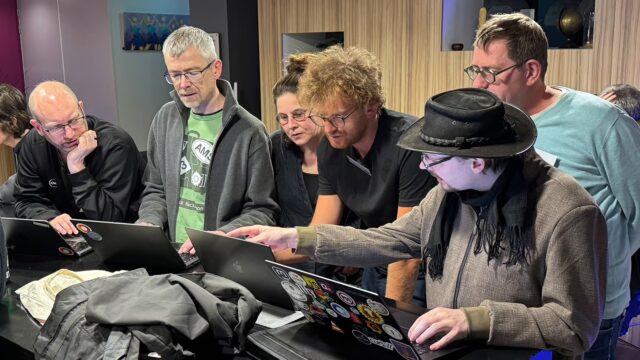




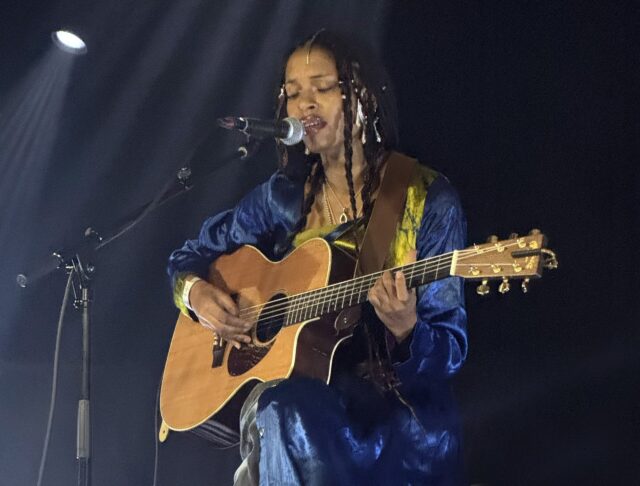

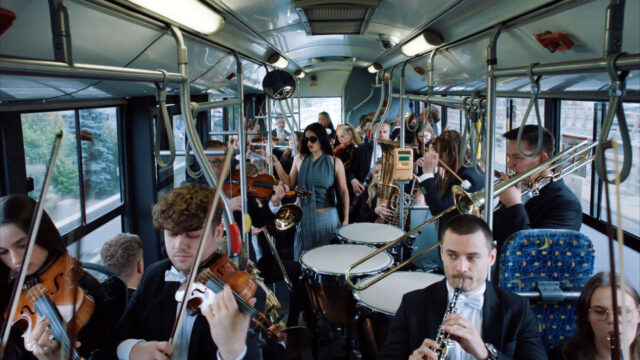
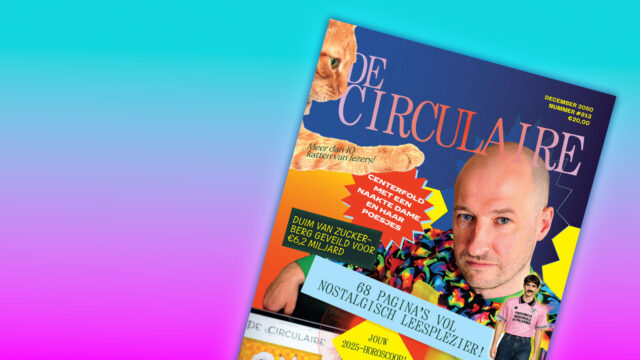

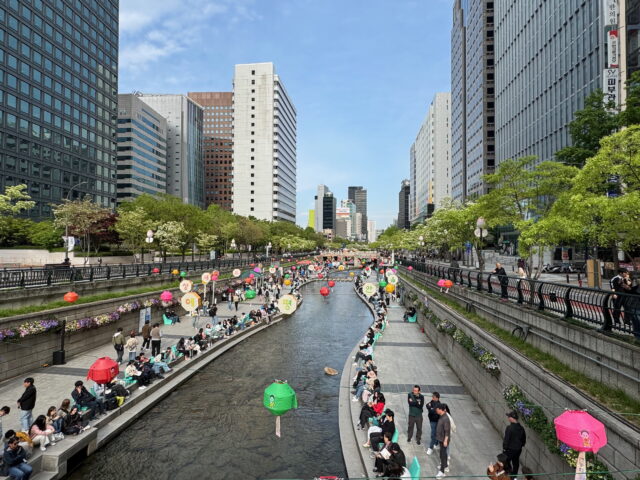
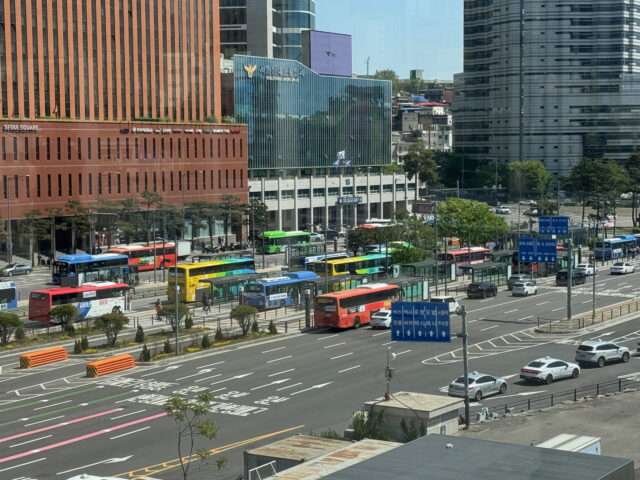


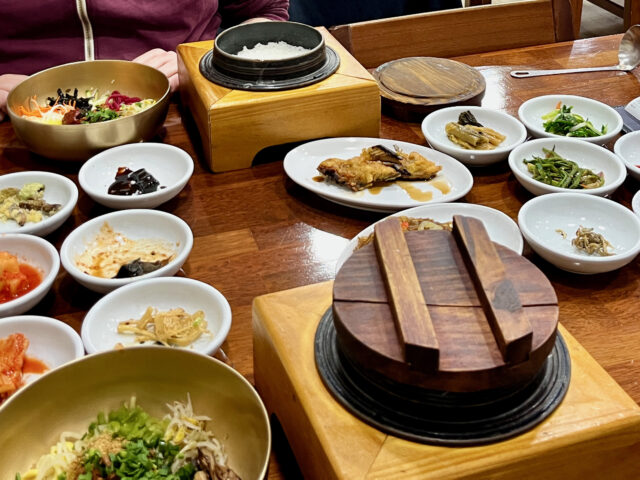
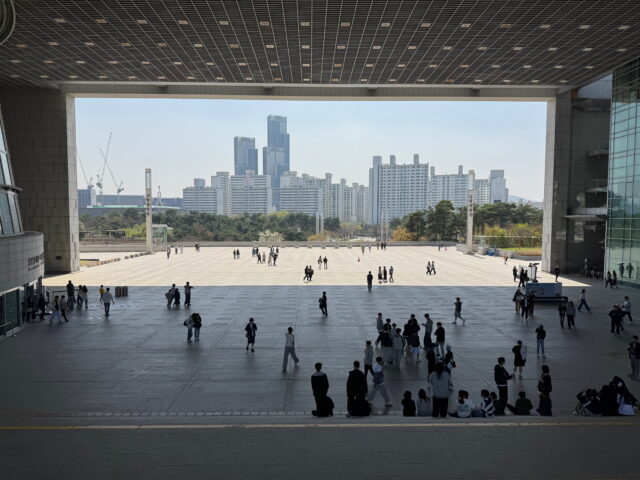
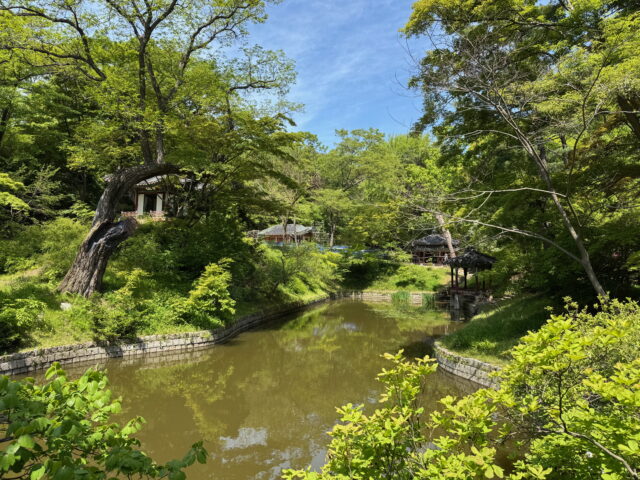
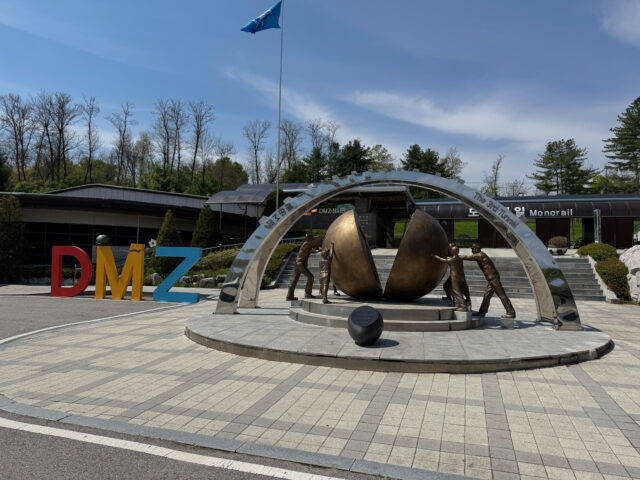
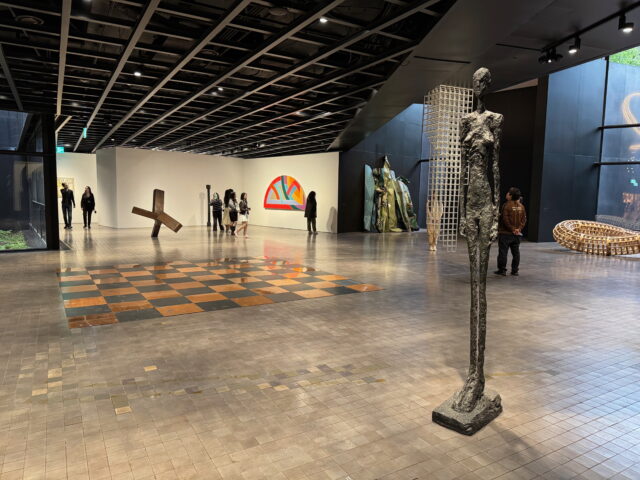


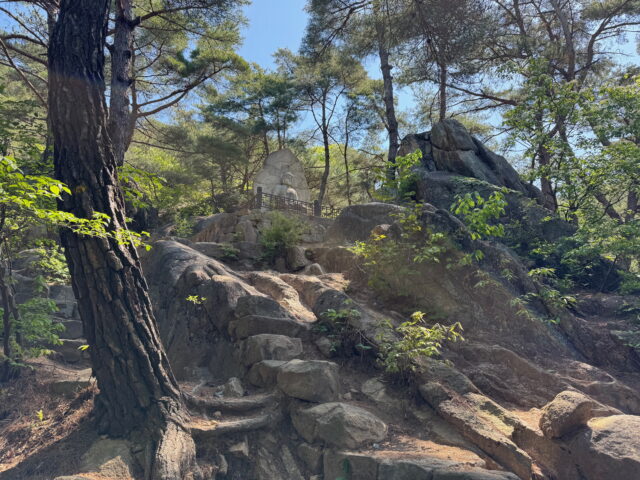
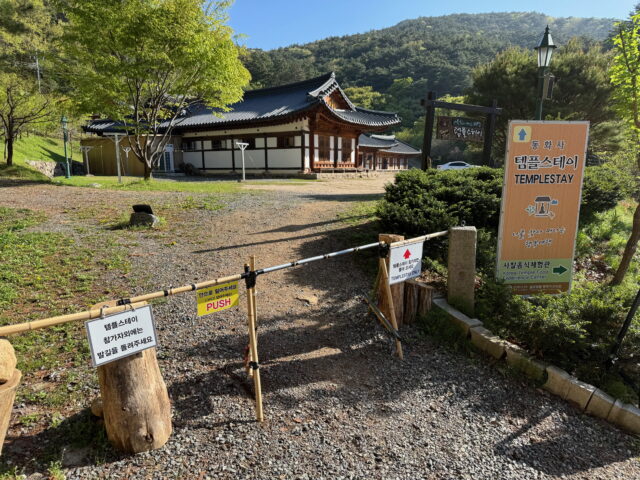
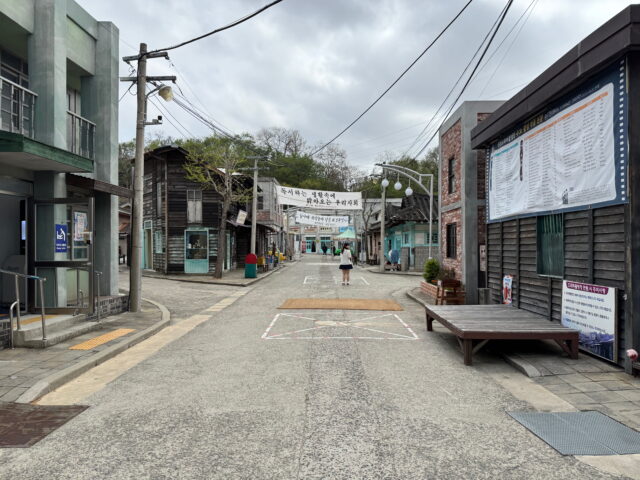



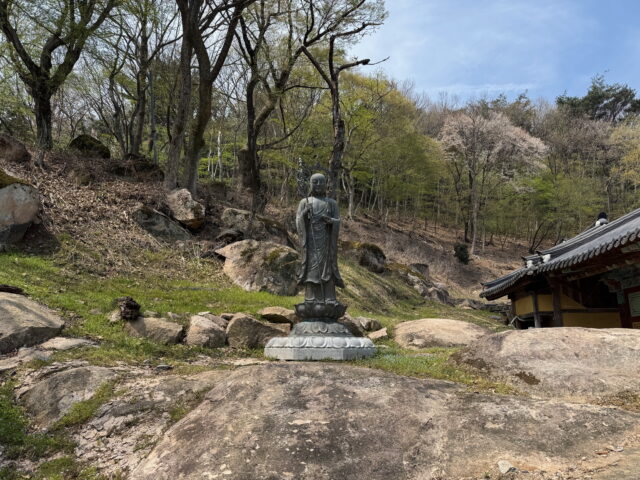
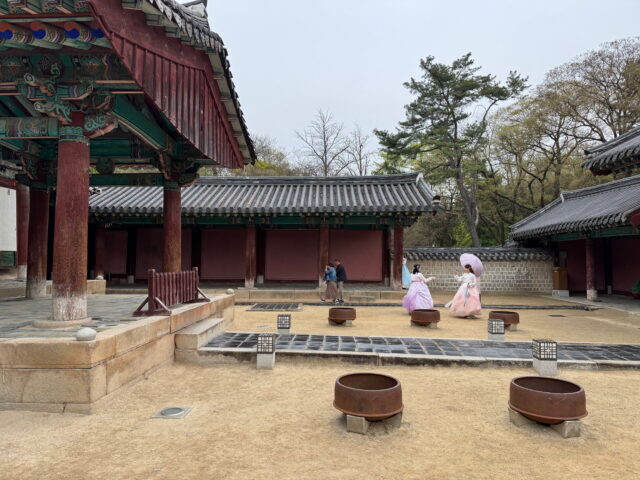
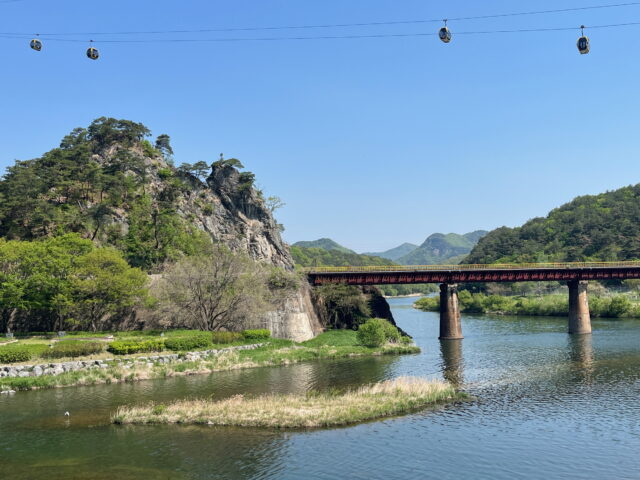




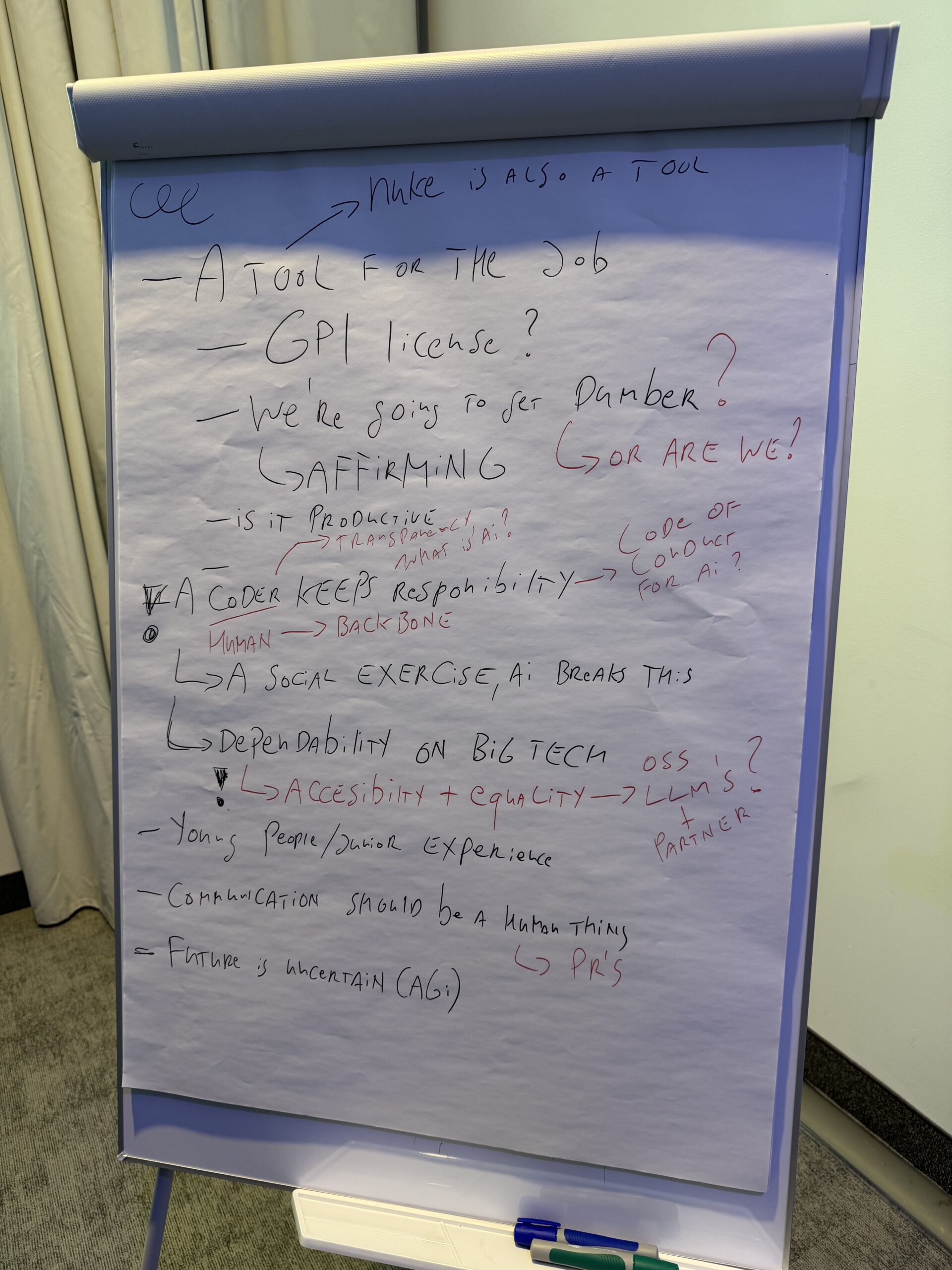
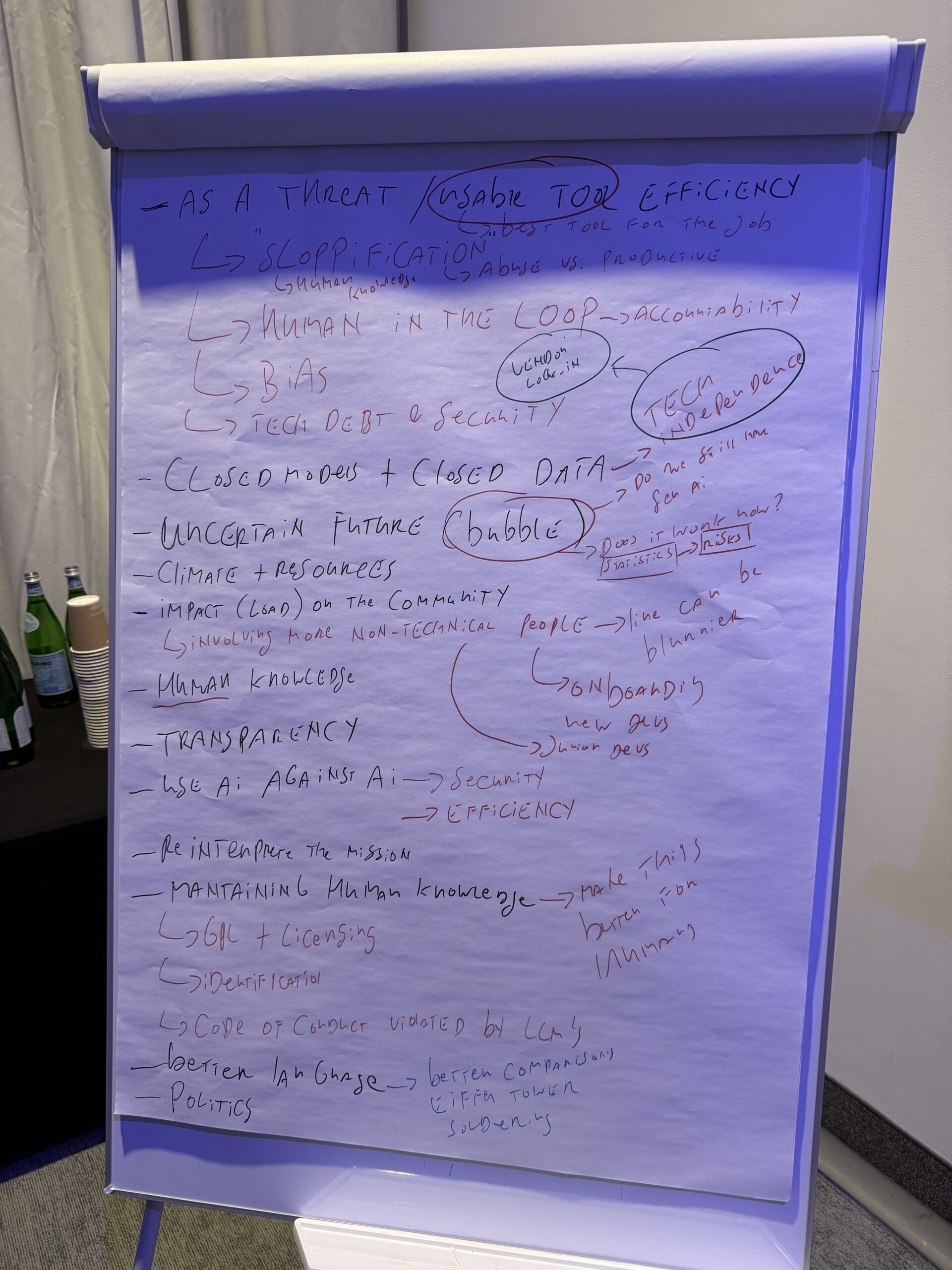
.jpg)
_(cropped).jpg)